Release notes
5.0.10 | Nov 13, 2026
This is a follow-up release to 5.0.9. The Platform Assistant now keeps your past chats so you can reopen them, and you can rate its replies. Visit no longer opens a 404 page for H2O-3 Secure engines, the app alias preview shows the address the alias will have, and Revoke All on Admin User Sessions reports sessions it could not revoke.
New features and enhancements
Platform Assistant
- Return to earlier chats: The Recent chats list in the assistant panel shows your past conversations. You can search them, open one to continue where you left off, rename it, or delete it, and Show more loads older chats. The open conversation is kept when you reload the page. The assistant also sends usage events to the Platform Assistant service. Your Platform Assistant service must include chat history storage, and an admin must turn the assistant on as described in 5.0.9.
- Rate the assistant's replies: Each reply has Good response and Bad response buttons. When you mark a reply as bad, you can pick a reason (Wrong, Incomplete, Outdated, Didn't answer the question, or Other) and add a comment of up to 2,000 characters, or click Skip. Click the same button again to remove your rating.
Bug fixes
- Fixed Visit opening a 404 page for H2O-3 Secure engines: H2O-3 Secure (3.48 and later) ships without H2O Flow, so a running Secure engine no longer shows Visit on My AI Engines or Admin AI Engines. In the AI engines widget on Home, its title and logo are plain text instead of links. Terminate, Pause, and the engine menu work as before, and open-source H2O-3, Driverless AI, and Notebook engines keep Visit.
- Fixed the app alias preview showing the wrong address: When you create or assign an alias, the preview now shows the address the alias will have, based on the instance's routing mode. A primary alias shows the app instance's address, including its path on environments that serve instances under a path. Any other alias shows as a link that redirects to the instance. Previously, these two messages were swapped.
- Fixed Revoke All on Admin User Sessions always reporting success: It now warns you when some sessions could not be revoked ("Revoked N of M sessions. K could not be revoked.") and shows an error when none were. Revoke All also works on a user whose sessions you have not expanded, and asks you to confirm with the real number of sessions. Session counts that have not loaded show a dash (-) instead of 0.
5.0.9 | Nov 10, 2026
This is a follow-up release to 5.0.8. Admins can now turn the Platform Assistant on or off for the whole environment from Admin Center, and the assistant tells users it is AI. Saving workspace members can no longer leave a workspace without an owner, the AI Engines page recovers on its own after an AI Engine Manager outage, and air-gapped installations now show every font and icon. This release also includes security fixes and H2O CLI 1.15.6.
New features and enhancements
Platform Assistant
- Turn the Platform Assistant on or off for your environment: A new Platform Assistant card on Admin Center › Cloud Environment lets admins switch the assistant on or off for every user. The assistant stays off until an admin turns it on. The change applies without a page reload, and an open chat panel closes when the assistant is turned off. The
assistantEnabledfeature flag must still be on, and the card requires Admin Center 0.13.2 or later. With an older Admin Center, the card says it can't turn the assistant on yet. - AI disclosure in the chat panel: The bottom of the chat panel now reads "This assistant is AI and can make mistakes."
- Links in the assistant's replies open in a new tab, so you keep your place in the platform. Suggested prompts now send even when the message box is empty.
App Store
- Fonts and icons load from your installation: Pages no longer fetch fonts from Google Fonts or icon fonts from Microsoft's CDN, and the App Store error page no longer calls Google Fonts. Air-gapped installations show every icon, and browsers make no requests to these third parties.
Bug fixes
- Fixed saving workspace members leaving a workspace without an owner: You can now hand a workspace over to another Workspace Owner in one save. If a change fails, nothing is removed and the panel lists what wasn't saved. A sole owner can't remove or downgrade their own role, and Personal Workspace Owner is no longer offered in a regular workspace.
- Fixed AI engine pages getting stuck after an AI Engine Manager outage: While AI Engine Manager is unavailable, the AI engines widget on Home shows "Failed to load AI engines." instead of repeated error toasts, and other pages no longer show AI engine errors. The AI Engines page recovers by itself once the service is back. When engine profiles can't be loaded, Create tells you so.
- Fixed engine selection on the AI Engines page: Ticking an engine now selects only that engine, Select all selects every engine including H2O-3 engines, and bulk Delete, Pause, and Resume reach every selected engine.
- Fixed links to feature sets in the legacy Feature Store UI leading to a 404 page.
- Fixed
h2o instance logs -pfailing with an internal error when the app container has never restarted: The command now explains that no previous container exists. - Fixed the App Store writing app instance configuration to its logs: When it installed or redeployed an instance, the App Store logged settings that include the Wave OIDC client secret and bundle download credentials. It now logs only the release name, namespace, revision, status, and chart. If your App Store logs may have been read by people who should not see these values, rotate the Wave OIDC client secret and bundle download credentials after you upgrade.
- Patched five CVEs in the App Store server image: a high-severity
go-joseissue (CVE-2026-116587) and two medium-severitygo-joseissues (CVE-2026-116585, CVE-2026-116586) viago-jose4.1.6, and twogolang.org/x/netissues (CVE-2026-78661, CVE-2026-97045) viax/net0.62.0. - Updated H2O CLI to version 1.15.6.
5.0.8 | Nov 4, 2026
This is a follow-up release to 5.0.7. Suspended app instances now release their cluster service IP, users who are not App Store admins can manage AI Engine settings, and bookmarks and shared links open in the right workspace. In Feature Store, you can retry a failed JDBC driver upload. You can use this release in FedRAMP deployments.
New features and enhancements
App Store
- Suspended app instances no longer hold a cluster service IP: When an app instance suspends, the platform removes its Kubernetes Service and returns the IP to the pool. Resuming the instance creates the Service again. Clusters with a small service IP range (CIDR) can keep launching new apps while many instances stay suspended. You don't need to configure anything.
AI Engine Manager
- Manage AI Engine settings without App Store admin rights: AuthZ permissions on the global workspace now control access to the eight AI Engine settings pages (Driverless AI and H2O-3 profiles and versions, notebook profiles and images, and sandbox templates and images) instead of the App Store admin flag. Each page opens for anyone with permission to list that setting, and Add, Edit, and Delete each check their own permission. Users who are not App Store admins see an Admin › AI Engine Settings section that lists only the pages they can open. With the default policies, every user can view versions, images, and sandbox templates as read-only, and only admins can see the profile pages.
- Python connection code now runs as-is: Python Connection on a Driverless AI or H2O-3 engine now gives code that works with the current
h2o_engine_managerclient. Driverless AI usesaiem.dai_engine_client.get_engine(engine_id=…, workspace_id=…)anddai_engine.connect(), and H2O-3 usesh2o.connect(config=h2o_engine.get_connection_config()). The engine and workspace IDs come from the engine itself, so the code connects to the right engine regardless of the active workspace.
Feature Store
- Retry failed JDBC driver uploads: If a driver's JARs fail to upload after you register the driver, the Register Driver panel stays open with your files attached and retries only the JAR upload when you click again. The message says whether the upload or the verification failed, names each JAR that did not upload, and tells you when storage is unreachable or blocks browser uploads (CORS). A driver stuck in "Uploading" has a tooltip pointing to More › Re-upload JARs or Delete.
- Feature Store checks Table and Query as you type: When you register a feature set or extract a schema from a JDBC Table or Snowflake source, the form requires exactly one of Table or Query and shows "Table or Query is required" or "Only one of Table or Query is allowed" before you submit a job. This matches the rule in the Feature Store Python client.
- Dashboard job tiles open filtered job lists: The My Running Jobs, My Failed Jobs, and My Pending Jobs tiles on the Feature Store dashboard open the Jobs page and filter it by that status.
Bug fixes
- Fixed workspace-scoped pages showing "403 Error" when you open them from a bookmark, a shared link, or a new tab: The platform now selects the workspace from the URL (or your own workspace) before it checks the page's permissions. This covers My AI Engines, Drive and Drive buckets, Audit Trail, Workflows Actions and action details, Runners, and the workflow, run, and job detail pages.
- Fixed My Sessions showing "Failed to load sessions." for regular users: The page now lists your own interactive sessions and lets you revoke them one at a time or with Revoke All, as your permissions allow. Only administrators can view persistent sessions, so other users see a dash (-) instead of a persistent session count.
- Fixed the Revoke button scrolling out of view on My Sessions and Admin User Sessions: The Revoke column now stays pinned at every supported width from 1024 px, and the other columns scroll beneath it.
- Fixed Feature Store notifications stopping in tabs you leave open for a long time: The notification stream now reconnects with a fresh access token whenever the server ends it, retrying with a backoff from 1 to 30 seconds. Notification toasts and the auto-refresh of pending reviews, jobs, and drafts keep working, including on Feature Store versions that renew notification connections every 30 minutes.
- Fixed the MLOps endpoint Ready tooltip implying the endpoint is ready for scoring: The tooltip now reads "Endpoint route is ready." instead of "Endpoint is ready for scoring.", because the Ready state only means the endpoint's route is set up and accepting traffic. You see it on the Deployments list, the deployment details page, and the Scoring, Chat, and Classify tabs.
5.0.7 | Oct 22, 2026
This is a follow-up release to 5.0.6. App launches that can never start can now return their GPUs and quota automatically, the CLI & API Access page offers CLI downloads from your own environment, and apps you upload through the UI now get the tags listed in their app.toml.
New features and enhancements
App Store
- Automatic suspension of launches that can never start: The platform now suspends an app instance after 2 hours if its pod never starts because the cluster can't pull the image or has no capacity for it. The GPUs, CPU, memory, and quota it held go back to the cluster. This applies to public instances and even when instance auto-suspend is off. Suspending keeps the instance, so its owner can resume it once the image or capacity is available. This never affects apps that have started running at least once. The 2 hours count from the pod's creation, so a resume or upgrade restarts the count. It requires instance view, which is off by default. An administrator can turn it on with
config.instanceViewEnabled(added in 5.0.1). Administrators can change the threshold withconfig.stalledLaunchSuspendAfter(in seconds; default7200,0turns it off). - Download the H2O CLI from your own environment: The CLI & API Access page now links to the H2O CLI builds bundled with your environment for Linux, macOS, and Windows, so you get a CLI version that matches the server without internet access. The page detects your operating system and lists that build first under Recommended for this computer. For servers you reach over SSH, it gives a
curlcommand you can copy. The page still links to the public release page under Download another version. The section appears when thecli_download_enabledserver option is on, which is the default. - UI uploads get their
app.tomltags: The App Store now applies the tags in an app'sapp.tomlwhen you upload the app through the UI or the admin API, as the CLI already did. Tag visitor roles control who can see an app, so the app reaches its intended audience right after upload. Each tag goes through the same permission checks as assigning it by hand. The App Store skips any tag that doesn't exist or that you can't assign, shows a warning, and completes the upload. - Instance log controls stay in view while you read: On the Instance Logs page, the header with Back, the instance name and ID, the process selector, Download, and Pause / Resume log stream stays pinned while the log scrolls beneath it. The log follows new lines while you are at the end. If you scroll up, the view holds so you can read back, and scrolling to the end resumes following. Workflows step logs follow new lines the same way. In the legacy design, the process selector now sits next to Download and Pause / Resume.
Home and navigation
- The Home dashboard and navigation show only what you can use: Users who can't list AI engines see My imported apps instead of the Workspace AI engines widget. The Peak AI Unit consumption widget appears only for users who can view usage. The Secrets entry appears only for users who can list secrets in the active workspace.
Bug fixes
- Fixed the auto-pause countdown in App Store instance lists: The label now rounds to the nearest unit, so a newly launched instance with a 2-hour timeout reads "in 2 hours", and it moves to the next unit at the halfway point (for example, "tomorrow" from 23 h 30 m). Singular and plural forms are now consistent ("in 1 week", "in 2 weeks").
- Updated Go to 1.26.10, which rejects TLS certificate chains through eight compromised eMudhra intermediate certificate authorities (CVE-2026-111943). If a service the platform connects to still uses one of these intermediates, that service needs a certificate from a different issuer.
- Updated H2O CLI to version 1.15.5.
5.0.6 | Oct 15, 2026
This is a follow-up release to 5.0.4. Download model now gives you the model artifact you deploy, long actions such as large model uploads continue through background sign-in renewals, and MLOps LLM Chat is out of Alpha.
New features and enhancements
MLOps
- Download the deployable model artifact: Download model on a model version now picks the artifact you deploy: the MOJO pipeline first, then the Python scoring pipeline, or the single artifact of a plain upload. The file name includes the model, version, and artifact type, and uses the file's real extension, for example
churn-model_v3_dai_mojo_pipeline.zip. This helps most with Driverless AI experiments, which carry dozens of artifacts. - LLM Chat is out of Alpha: The Chat tab on LLM deployments no longer shows the Alpha badge.
Audit Trail
- Filter events from more services: The Components filter now includes Feature Store, Workflows, Connector Service, and Model Hub, so you can filter their events without writing an event-source pattern. It lists Feature Store and Workflows only in environments that include them.
Feature Store
- Ingest paths match your storage provider: The Path example on the Ingest dialog follows the selected Cloud Storage Provider:
s3a://for S3 and MinIO,abfss://orwasbs://for Azure,gs://for Google Cloud Storage, anddrive://for H2O Drive. The dialog checks paths against that provider as you type and shows a message for a mismatch before ingestion starts. This covers CSV, Parquet, JSON, and Delta Table paths and folders.
Bug fixes
- Fixed background sign-in renewals interrupting long actions: A long action such as a multi-minute model upload now keeps running, and the page keeps its state.
- Fixed unclear instance log buttons (legacy design): On the Instance Logs page, the buttons now read Pause log stream and Resume log stream, to show that they control the log view and not the app.
- Updated Go to 1.26.9,
golang.org/x/net, and other server dependencies to address security vulnerabilities. - Updated H2O CLI to version 1.15.4.
5.0.4 | Oct 9, 2026
This is a follow-up release to 5.0.3. A failed MLOps deployment start now explains what went wrong and what to change, MLOps administrators get a per-workspace view of models and deployments, and long lists across the product load more rows as you scroll.
New features and enhancements
MLOps
- Failed deployment starts explain what went wrong: When a deployment fails to start, its detail page shows a Where startup failed view. A summary card states the failure type, the number of affected replicas, the likely cause, and the next step. It also says whether the platform will keep retrying or you need to fix the cause and redeploy. For image-pull failures, it shows the image name. Below the card, the view lists the replica's containers as startup steps and expands the failing one to show its error, restart count, and raw output. A replica picker replaces raw pod names, and Copy error and Download logs let you pass the problem to someone else. A rolled-back update shows "Update failed · previous version restored".
- Resource failures point to the setting to change: An out-of-memory (OOMKilled) deployment now names the
memoryvalue to raise under Advanced settings > Resource configurations > Requests (and Limits, if you set them). For out-of-memory, unschedulable, and evicted deployments, Open resource settings opens and scrolls to that section from the deployments list, the admin list, and the detail page. - Per-workspace summary on the Admin Dashboard: Administrators can see every workspace on one page with its owners, registered model count, and deployment count, sortable by any column. Clicking a workspace filters the dashboard cards to it. The Models and Deployments card totals now show exact counts instead of stopping at "100+".
- Manage endpoint schedules from the deployment: You can now view and edit an endpoint's target-switching schedule from the Endpoints tab of the deployment detail page, as well as from the Endpoints page.
- Runtime image versions can set a readiness probe path: When adding a runtime image version, administrators can fill in a new optional Readiness Probe Path field, so runtimes that don't serve
/readyz(such as vLLM, which serves/health) become ready on deploy. If you leave it empty, the version uses the path from the image's existing versions, and the hint shows which path and version it will use. The versions list shows each version's probe path. - Row actions stay on screen in narrow windows: MLOps list pages now fold secondary columns under the row title, so Pause, Retry, Resume, and row menus stay visible. This applies to deployments, models, runtimes, endpoints, batch scoring, and the admin lists.
Lists across the product
- Lists load more rows as you scroll: Paged lists in Feature Store, MLOps, Workflows, IAM, and workspace management now fetch more rows when you reach the end, instead of requiring a Load more click. If a page fails to load, the list shows "Couldn't load more." with a Retry button. Search and sort on the IAM policies, roles, and role-binding views still cover the full list.
Admin Center
- Faster Member Management: The Last Login column is now behind a Show Last Login toggle, off by default, so the members list loads quickly. Turn it on when you need login times.
Navigation
- New Agentic AI section: Cascade and TabH2O now appear in the sidebar under Agentic AI instead of under Links. Two services that share a display name now both stay visible.
Bug fixes
- Fixed the Admin Deployments page failing to load behind web application firewalls that limit URL length: The page now sends deployment status lookups in small batches. The Models list, its tags, and the model picker on a deployment also load with a few workspace-wide requests instead of several per model and version, so these pages are faster in large workspaces.
- Fixed deployment status labels: A deployment that is pausing now shows "Pausing" until it reaches "Paused", instead of "Starting". "Asleep" now appears only for an on-demand deployment that is actually asleep, and a deployment that is starting, terminating, or failed shows that status instead. The status badge on the detail page now updates live.
- Fixed admins leaving the admin view after acting on a deployment: Retry, Update, and Delete on the Admin Deployment Detail page now keep you in the admin view. Retry and Update refresh the deployment in place, and Delete returns you to Admin Deployments. The bulk-selection count on Admin Deployments now resets after a bulk delete.
- Fixed creating a batch scoring job with a Feature Store sink in the legacy design: The sink now lets you pick from your workspaces. In both designs, you can see the App Store workspace but can't select it as a sink.
- Fixed Admin Center usage reports not matching the selected dates: Date filters now cover whole days in your browser's timezone, so picking a month on AI Unit Hourly returns exactly that month and every range includes its last day. Chart date labels now line up with the data on the AI Unit, AIEM, MLOps, h2oGPTe, eScorer, and User Journey charts.
- Fixed the Workspace page filter in Admin Center dropping a workspace you select by typing and pressing Enter.
5.0.3 | Sep 16, 2026
This is a follow-up release to 5.0.2. Opening the Quick scoring or Chat tab no longer wakes an asleep on-demand MLOps deployment, and Feature Store users can now hide ingestions that stored no records.
New features and enhancements
MLOps
- Asleep on-demand deployments now wake only when you ask: Opening the Quick scoring or Chat tab on an asleep deployment shows "This deployment is asleep" with a Wake up button, and the deployment stays asleep until you click it. This means browsing a deployment's detail page, endpoints, or schedule costs you nothing, and the scale-to-zero savings introduced in 5.0.1 hold up under normal day-to-day browsing. The message says how long the deployment can take to start. For a secured deployment, you enter the passphrase or API key before waking it. Quick scoring and chat open as soon as the first replica is running. This works on both the deployment detail page and the admin deployment detail page.
Feature Store
- Empty ingestions can be hidden from a feature set's ingest history: A new Hide empty ingestions toggle on the Ingest History tab hides ingestions that stored no records, for example because every incoming row was a duplicate. These ingestions do not create a new feature set version, and retrieving from one returns an empty frame. When the toggle is off, empty ingestions are marked, and you can hover over the mark to see why they hold no data.
Bug fixes
- Fixed Quick scoring and Chat saying "This deployment has no running replicas" while the replica count on the same page showed replicas running: Both tabs now use the same live replica count, so a deployment that a schedule or autoscaler has just scaled up can be used without reloading the page.
- Fixed the runtime update banner offering updates for deployments on a disabled runtime: The banner on the Deployments page and the "Runtime update available" indicator now only appear for updates that can be applied, so Update all no longer fails with "runtime ... is disabled". If an update does fail, the error message now explains why. On the Admin Deployments page, the Latest runtime column shows a gray icon for a deployment on a disabled runtime instead of a green check, and its tooltip tells you to move the deployment to another runtime.
- Fixed admins being unable to remove the Max Running Engines limit on an AI Engine Manager profile: The field now has a toggle next to it. Turning the toggle off removes the limit, and the profile shows "Unlimited" instead of a number. Previously, once a limit was set it could be changed but never removed.
- Fixed the message field in MLOps Chat not growing with long messages (legacy design): The field now grows as you type, up to a set height, and then scrolls, the same as in the current design.
- Fixed the third-party license page being blank: The Packages used in this product link in the About dialog now opens a page that lists the open-source packages included in the platform.
- Patched three CVEs in the bundled
q8sbinary: a high-severity gRPC issue (CVE-2026-84445) and two medium-severitygolang.org/x/cryptoissues (CVE-2026-56855, CVE-2026-78662), via gRPC 1.83.2 andx/crypto0.56.0. - Updated H2O CLI to version 1.15.3.
5.0.2 | Sep 9, 2026
This is a follow-up release to 5.0.1. It makes long-running batch scoring jobs observable while they run, fixes sign-out so it ends the session at the upstream identity provider, and honors the default launch profile an administrator configured for an app.
New features and enhancements
MLOps
- Batch scoring jobs now show their progress while they run: The job detail page shows a live panel with partition progress (for example,
2/3 partitions), a running row count, and an error breakdown (failure reason, rows affected, first and last seen) so a partially failing job can be diagnosed before it finishes. The jobs list gains a per-row progress column. At completion, the panel summarizes finished, failed, and skipped partitions, total and error rows, and the Feature Store job ID. Contact H2O Support to enable this feature.
Server configuration
- HSTS preload can be enabled from server configuration: A new
hsts_preloadoption (H2O_CLOUD_SERVER_HSTS_PRELOAD, defaultfalse) appends thepreloaddirective to theStrict-Transport-Securityheader, so operators submitting their domain to the browser preload list no longer need a gateway-level header rewrite. The server logs a warning if preload is turned on whilehsts_max_ageis below one year orhsts_include_subdomainsis off, since the preload list would reject that policy.
Bug fixes
- Fixed sign-out not completing the full logout sequence at the identity provider: The sign-out flow now reliably reaches the full OIDC end-session chain, so federated identity providers such as Okta terminate their own session instead of silently re-authenticating you on the next visit. A shared workstation or a deliberate "log out and switch user" now behaves the way it looks. Client-side token revocation on sign-out remains off by default and is available as an opt-in per deployment via
oidc.revoke_tokens_on_signout(H2O_CLOUD_OIDC_REVOKE_TOKENS_ON_SIGNOUT/config.oidcRevokeTokensOnSignout), and the sign-out redirect now identifies the client so Keycloak 18 and newer accept it. - Fixed apps not launching with their administrator-configured default profile:
h2o app set-default-profile <appID> <profile>now takes effect at launch, so an app pinned to a CPU-only or otherwise specific profile gets that profile's CPU, memory, node selector, tolerations, and affinity without anyone having to pass--profileon every run.
An app where the configured default profile has since been deleted will fail to launch until the profile is restored or the app default is cleared. Redeploying an instance created before this fix can also newly pick up the app default.
- Fixed scoring errors showing as an opaque
[object Response]: A quick-scoring failure now surfaces the scorer's own message, for exampleFailed scoring request due to: Column PAY_2 does not exist in the Frame; did you mean PAY_0, PAY_3 or PAY_4?. Error messages are clearer platform-wide, not just for scoring. - Fixed h2oGPTe events disappearing from Audit Trail after the h2oGPTe 1.7.5 rename: h2oGPTe renamed its audit event source to
h2oai-h2ogpte-muxto match the convention every other product follows; selecting h2oGPTe in the Event Source filter now matches both the new and the previous name, so a single App Store build reports h2oGPTe activity correctly whether an environment is on 1.7.5 or earlier. - Fixed Copy not working on code blocks in the in-app documentation sidebar: Clicking Copy on a code block now puts the snippet on the clipboard and confirms it, so following a documented command no longer means opening the docs in a separate browser tab first.
- Fixed the MLOps Global workspace toggle disappearing in an empty workspace (legacy design): Turning off Show runtimes from Global workspace in a workspace with no runtimes of its own now leaves the toggle in place on both the Runtimes and Runtime images tabs, so Global runtimes can be brought back with one click rather than a page refresh.
- Fixed inaccurate "Last refreshed" timestamps across MLOps lists: The jobs, deployments, endpoints, and tags lists now update the "Last refreshed" label on every refresh, including a manual refresh that returns identical rows, and the endpoints and legacy deployments pages now show seconds like the rest.
5.0.1 | Sep 4, 2026
This is a follow-up release to 5.0.0. It adds scale-to-zero deployments for MLOps, makes App Store instance status reflect what a workload is actually doing, restores per-user and per-workspace chargeback reporting, and completes the Feature Store admin experience in the legacy design.
New features and enhancements
MLOps
- On-demand (scale-to-zero) deployments: A new On-demand tab on the deployment detail page lets a deployment release its replicas after a configurable idle period and wake automatically on the next request, so expensive GPU and large-memory endpoints only cost you money while they're actually serving. An asleep deployment is labeled "Asleep — wakes on the first request" rather than looking unhealthy, the deployments and admin deployments lists show an On-demand column, and quick scoring transparently waits out the cold start and retries transient failures. Blank timeout fields mean "use the server default," and turning On-demand off preserves your configured timeouts for next time. Gated by the new
mlopsDeploymentOnDemandEnabledfeature flag (default on), so environments running an older MLOps version can withhold the surface. - External deployments now support Basic auth: The external deployment security dropdown adds a Basic auth option alongside bearer-token and mutual-TLS. This allows outbound calls to authenticate against upstreams that expect HTTP basic credentials, supplied by secret reference so nothing sensitive is stored in the deployment definition.
- Model artifact uploads now work on Azure Blob Storage: Presigned uploads from the MLOps UI now send the
x-ms-blob-typeheader that Azure requires, so uploads succeed on AKS installs backed by Azure Blob Storage, including sovereign clouds, private-link, and custom domains (detected from the SAS signature rather than the hostname). S3 and GCS uploads are unaffected.
App Store
- App instance status can now reflect what an instance is actually doing: Instance status has always been derived from the Helm release alone, so a launch that took longer than the Helm wait was reported as
FAILEDeven while the app was serving traffic — a common outcome for large image pulls, node scale-ups, and constrained GPU capacity. Instance status can now be composed from live Kubernetes pod and Deployment state alongside the Helm release, so a slow launch reads as still starting and a genuinely stuck release stops being reported as healthy forever. This is opt-in and off by default — enable withconfig.instanceViewEnabled— with an optional periodic audit that reports composition health and divergence. In the UI, the instance list now refreshes after every launch attempt, so an instance from a failed launch is immediately visible and can be terminated without a page reload. - App Store events are filterable in Audit Trail: The Components dropdown on the Audit Trail page now includes App Store, so the audit events introduced in 5.0.0 can be isolated in the UI.
Feature Store
- The full Feature Store admin experience is now available in the legacy design: The Admin Dashboard, Storage (with workspace and feature-set usage breakdowns and summary tiles), JDBC Drivers, Spark Sizes, Jobs, and Scheduled Tasks pages, plus the license widget and feature-set links, now all work in the legacy UI, completing the parity work started in 5.0.0.
Workspaces & sign-in
- Administrators can open a workspace they aren't a member of without disturbing their own: Visiting a workspace URL outside your membership now renders as a one-off view — the workspace switcher stays on "Global" and your active workspace is left untouched, so the visit doesn't follow you into the next page you open.
- Existing users are no longer asked to re-accept an unchanged EULA: The stored acceptance is upgraded silently to the current version format.
Bug fixes
- Fixed Platform Usage reporting by User and Workspace: Grouping by User or Workspace now renders every usage row, falling back to the raw identifier when a display name can't be resolved instead of discarding the row — so chargeback and attribution reporting works even when the identity service is slow, paginating, or unavailable. Personal workspaces resolve to their real owner instead of collapsing into a single combined row, and unnamed workspaces stay distinct instead of merging invisibly.
- Fixed unthrottled retries on paginated lists: When a page of a long list fails to load, the UI now stops and surfaces the failure instead of retrying immediately and indefinitely, which previously could produce a runaway request loop from every open browser tab. This applies across all paginated views, including user and workspace lists.
- Reduced unnecessary re-rendering on data-heavy pages such as Platform Usage, MLOps deployments, and workspace pickers, and moved MLOps deployment forms onto a single validated form implementation for more consistent behavior.
- Patched 10 CVEs in the bundled
q8sand migration binaries, including a critical SSH authentication bypass ingolang.org/x/crypto(CVE-2026-56854), a high-severity gRPC issue (CVE-2026-84304), and eight high-severity Go standard library CVEs, via Go 1.26.8,x/crypto0.55.0, and gRPC 1.83.1. - Updated H2O CLI to version 1.15.1.
5.0.0 | Aug 28, 2026
This release brings a large amount of new MLOps and Feature Store capability, platform audit logging for the App Store, per-deployment control over which features are available, and a substantial security and supply-chain cleanup.
New features and enhancements
Feature flags & deployment configuration
- Every capability can now be switched on or off per deployment: A new feature-flag system lets an operator shape a platform deployment to exactly what that environment supports. Admin Center, AI Engine Manager, Audit Trail, Feature Store, IAM, MLOps, Notebook, Secure Store, Workflows, Drive, session pages, and platform usage each carry their own switch, configured via Helm values or server config (changing one requires a redeploy; there's no in-app toggle). A switched-off capability disappears cleanly, with no navigation entry and no dead page.
- A switched-off capability costs you nothing: flags are evaluated before service discovery and before authorization, so a disabled capability triggers no permission checks, no prefetches, and no background polling, reducing load on both the browser and the backend.
- MLOps deployment schedules, streaming chat, external deployments, and the dashboard wizard have their own switches too, so a single App Store build can serve both current and older MLOps backends without offering controls the backend can't honor.
- Every flag defaults on and layers on top of the environment conditions a deployment already had, so upgrading changes nothing until you choose to change it.
MLOps
- Chat with your LLM deployments: Streaming model deployments get a chat interface backed by the deployment's OpenAI-compatible
/v1/chat/completionsendpoint with live token streaming, and monitoring surfaces that don't apply to streaming models are hidden throughout the create, edit, and detail flows. - Download multi-gigabyte models without hanging the browser: Artifacts above 200 MB now stream directly to disk through the browser's native download manager.
- Bring externally hosted models under management: External deployments can be created, edited, and listed alongside native ones, giving you a single inventory of everything serving predictions, including Basic auth support for outbound authentication.
- Cut spend on idle deployments: Deployment scaling can now be scheduled without writing cron — the schedule dialog offers a time-of-day picker, one-click presets (9–17, 8–20, all day), and an "Open for" duration that derives the closing schedule for you, including overnight windows. Times follow your browser's locale and timezone, and a human-readable preview confirms the result before you save. Endpoints can also be targeted at a chosen deployment, so you can scale down out of hours without asking clients to change the URL they call.
- Replica counts now come from a dedicated live scaling-status API and refresh every five seconds while pods converge, on both the deployment view and the admin list, so the numbers on screen reflect the cluster rather than the configuration.
- Quick scoring and chat are now gated on live running replicas, so a deployment created at zero replicas becomes scorable the moment a schedule or autoscaler brings pods online.
- Deployments now accept a custom CORS origin specification, so web applications can score against them directly without a proxy.
- Records-format payloads and composite schemas are now supported in Quick Scoring.
- Deployments and batch scoring jobs now accept Kubernetes pod placement options, so GPU pools and isolated nodes can be targeted from the UI.
- Model artifacts now upload and download through signed URLs directly to storage, with failed attempts reported rather than left in limbo.
- Model detail and the Models screen now offer artifact download and show MOJO size.
- Repeating a batch scoring run no longer means rebuilding it from its settings, and a failed job now explains why in its status tooltip.
- A creation wizard now walks you through building a monitoring dashboard for a deployment.
- The model upload experience has been rebuilt around the current upload API, with more responsive progress reporting.
- Globally defined runtimes now appear when creating deployments, with a responsive search filter.
- If the platform rolls back a deployment update, the UI now says so explicitly instead of quietly showing the previous state.
- The runtime upgrade banner now offers the correct target image and stays visible with a "checking" note while it resolves.
- The Endpoints page has been realigned, endpoint IDs are now shown, read-only users can open endpoint details, and links from a model version now open the right deployment.
- Deployment, model, job, and workspace IDs are now copyable directly from the UI.
- Pause and resume enablement now follows the deployment's real state, and deployment schedules load through a single batched request instead of one call per row.
- New deployment passphrases can now be revealed, and are regenerated correctly when the security type changes.
- New deployment security options are available with clearer configuration and correct wording for multiple API keys.
- The admin deployment list now sorts by workspace name.
Feature Store
- A new Feature Store Admin application brings a dashboard, storage and jobs overview, migrated ingest profiles, and JDBC support, including a list of available drivers when registering a JDBC table.
- Features can now be tagged, filtered, and searched by tag as well as by name, with a richer feature detail view covering overview, special data, and statistics.
- Usage analytics now show how features are actually being consumed, so owners can promote, deprecate, or justify a feature on evidence.
- Feature sets can now be joined across workspaces, so derived feature sets reference shared upstream data instead of copying it.
- New user and admin views list scheduled tasks across workspaces with status filters, pause and resume, and a detail page with per-run execution history and job output. Scheduled tasks can be exported and imported as artifacts, with resolve and dry-run steps so you can preview exactly what will be created.
- Administrators can now publish Spark size profiles with estimated resources and a default, and users select from them in schedule and registration flows. Job concurrency is now configurable from a dedicated admin page.
- Lineage edges now name the join type and key (for example, "Left join on id") across all five join types, and a feature set can record a reference to the model that consumes it.
- Job names now link to their feature set, and extract-schema jobs link straight to the registration panel or the ongoing-registration view. Ingest and version history are now paginated, so long-lived feature sets stay fast.
- An "Open in Superset" action takes you from a feature set to a chart, shown only where the integration is configured.
- Feature Store now uses the platform AuthZ service, so a role granted centrally applies here too, and feature sets can be renamed.
- More reliable everyday behavior: notifications stay in step with the server, monitoring clearly reports when a feature set has not been ingested, and the job list now lays out correctly on small screens.
Workflows & Actions
- New Actions and Workflows list pages carry recent-resource shortcuts, creator names, breadcrumbs, and split-button row actions that put Run, Activate, and Delete one click away.
- Actions now publish revisions rather than a hidden working copy: the editor opens on the latest published version, a browsed version is clearly read-only, and publishing lands you on the revision you just created. An Action offers the
uses:reference a workflow step actually accepts, copyable from the metadata panel or the sub-navigation, and revision history is fully paginated. - All Runs now keeps its own recent list, run URLs resolve to the correct run and revision, and runs name the person who started them. An intentionally inactive workflow is now presented as inactive rather than as a failure.
- A job's resolved outputs are now listed on the job details page, presented identically to step outputs.
- A run parameters dialog now appears when starting a run that declares run inputs.
- "Examples" and "Getting started" buttons on the workflow detail page open the recipes and the editor tour inside the in-app documentation dock.
- Matrix job dependencies and grouping now resolve correctly in the run graph, and Runner update failures are now surfaced with retry feedback without discarding what you typed.
Identity, Access & Workspaces
- A dedicated Roles screen provides full create, edit, and delete with an action-statement editor, so role design no longer requires API access.
- A read-only effective permissions matrix spans users and groups and includes actions from every feature, with component and action filters to narrow it to the question being asked.
- A Role Bindings Explorer and a Policies list make the authorization model visible in the product, and user details now link straight to that user's AI Engines, App Instances, and Audit Trail activity.
- Shared tags and private per-user labels can now be created, edited, and attached to workspaces, then used as filters, and clicking a tag or label on a row toggles the matching filter.
- The UI no longer assumes a personal workspace exists, and regular users can include deleted and archived workspaces in their view. Workspace switching is now consistent, including inside MLOps.
AI Engine Manager
- Generated Python connection code is now presented in a dialog for review before copying.
- The Admin AI Engines page now supports filtering by owner and shows the full resource name in engine details.
- Sandbox engine templates now include a maximum running duration with a sensible default and explicit support for unlimited durations.
Audit Trail
- App Store activity is now recorded in H2O Audit Trail: app imports, instance actions, secret and alias changes, IAM policy edits, and log access are all reported as audit events together with the authorization decisions behind them. Enable it through the
auditTrailHelm values. - The component filter now includes h2oGPTe and Session Server, so an investigation can be scoped to the service in question.
Secure Store, Session Server & Drive
- An OIDC Disabled flag on OAuth clients now enables plain OAuth2 providers such as Atlassian OAuth 2.0 (3LO) and GitHub OAuth apps, with in-form guidance covering the manual endpoints and explicit scopes those providers require.
- A My Sessions page lets users review their own active sessions, and the admin session user list now includes inactive users, which matters during offboarding and incident review.
- Drive now has consistent Enter handling across modals, a rename dialog that shows the file extension, clearer metadata and column naming, a neutral document icon, and reliable copy-modal directory creation.
App Store
- The CLI & API Access page offers "Generate API Token" buttons for both token types right at the top.
- The Admin App Instances page now supports searching and filtering by owner.
- Signing out is now reliable: the OIDC logout flow completes cleanly without automatic re-authentication racing it, which matters on shared and kiosk machines.
- Removed the Logging Service integration from the UI: log access is now consolidated on the maintained surfaces — App Store app logs, AI Engine logs, and Workflows step logs.
- Removed the legacy MLOps Events widgets in favor of the current monitoring and deployment views.
Documentation
- A new chargeback guide explains how to attribute platform cost to teams.
- A contextual documentation sidebar renders guides beside the feature they describe.
Bug fixes
- Fixed app bundle extraction for large bundles: the launcher's extraction path now closes file handles per entry, so large bundles of thousands of files extract successfully.
- Fixed
ImportAppwith astorage_path: automated imports now complete without a spurious error, so Terraform and other automated importers no longer see a failure on an import that actually worked, and no longer hit "already exists" on retry. - The Postgres driver now supports a
file+read://DSN for every authentication method, including AWS IAM and Azure Workload Identity, so credentials can come from a mounted secret rather than the process environment. - Dynamic external links now render safely through a shared, validated link component instead of risking unsafe navigation.
- Updated H2O CLI to version 1.15.0.
- Updated Go and other dependencies to address security vulnerabilities, and pinned Node.js to a current supported release with security flags enabled.
4.1.5 | Oct 29, 2026
New features and enhancements
Audit Trail
- Model Hub is back in the Event Source component picker: On deployments where Model Hub registers with platform discovery, Model Hub is a one-click choice again, so you can isolate Model Hub activity without writing a pattern.
Bug fixes
- Updated Go to 1.26.10, which rejects TLS certificate chains through eight compromised eMudhra intermediate certificate authorities (CVE-2026-111943). The server image also includes the updated Debian CA bundle, which drops the affected roots. If a service the platform connects to still uses one of these intermediates, that service needs a certificate from a different issuer.
- Updated
go-jose,golang.org/x/net, and other server dependencies to address security vulnerabilities, including a denial-of-service issue when parsing RSA signing keys (CVE-2026-116587). - Updated H2O CLI to version 1.15.6.
4.1.4 | Oct 16, 2026
New features and enhancements
App Store
- Instance status reflects what an instance is actually doing: The platform can now base instance status on what the instance's pods are doing, not only on whether the last deployment step finished. A large image pull, a node scale-up, or a wait for GPU capacity shows as "starting", and the instance reads "running" as soon as it is serving. If a launch error leaves an instance behind, the error names it and the instance list refreshes, so you can find and terminate it without reloading the page. Turn this on with
config.instanceViewEnabled. - Automatic suspension of launches that can never start: With instance view on, the platform suspends an instance after 2 hours if its pod never starts (for example, the cluster can't pull the image or no node can satisfy its GPU request). This frees the GPUs, CPU, memory, and quota it held, even when auto-suspend is off. Suspending keeps the instance, so its owner can resume it after fixing the problem. This never suspends apps that have already started, or instances of users on the auto-suspend exclude list. Set the threshold with
config.stalledLaunchSuspendAfter(default7200seconds,0to disable). - UI uploads get their
app.tomltags: The App Store now applies the tags in an app'sapp.tomlwhen you upload the app through the UI, as it does for CLI imports. Category tags show up in App Store filtering right away, and tags that grant visitor access take effect at upload. Each tag goes through the uploader's normal tag permissions, and the App Store skips any tag it can't apply and shows a warning. - Download the H2O CLI from your own environment: The CLI & API Access page now links to the H2O CLI builds bundled with your deployment for Linux, macOS, and Windows, so the CLI matches your server version and you can download it in air-gapped environments. The page lists the build for your operating system first under Recommended for this computer and gives a
curlcommand for servers you reach over SSH.
AI Engine Manager
- Remove the Max Running Engines limit: AI Engine Manager profiles now have a toggle next to Max Running Engines. Turn it off and the profile shows "Unlimited". Previously, you could change a limit but never remove it. This applies to Driverless AI, H2O-3, and Notebook engine profiles.
Bug fixes
- Fixed apps not launching with their administrator-configured default profile: The platform now applies the profile you set with
h2o app set-default-profilewhenever an app launches without an explicit profile, so the app gets that profile's CPU, memory, node selectors, tolerations, and affinity.
If someone deletes an app's default profile, the app fails to launch until you restore the profile or clear the app's default. Redeploying an existing instance applies the app's default profile.
- Fixed scoring errors showing as
[object Response]: A failed quick-scoring request now shows the scorer's own message, for exampleColumn PAY_2 does not exist in the Frame; did you mean PAY_0, PAY_3 or PAY_4?. Error messages are clearer across the UI. - Fixed Copy not working on code blocks in the in-app documentation sidebar.
- Fixed the third-party license page being blank: The license page that the About dialog links to now lists the bundled open-source components, each linked to its license text.
- Updated Go to 1.26.9 and other server dependencies to address security vulnerabilities.
- Updated H2O CLI to version 1.15.4.
4.1.3 | Aug 21, 2026
New features and enhancements
Audit Trail
- Unified Event Source filtering: The separate Component and Event Source filters are now a single Event Source control. You can pick predefined components, enter an exact source, or write a regular expression. The effective expression is always visible, so the filter chip, the URL, and the query sent to the API agree, and existing
componentbookmarks still resolve. - Component choices now match your deployment: h2oGPTe and Session Server are one-click choices, and every discovery-backed component appears only when that service is actually running. Isolating h2oGPTe or Session Server activity no longer means hand-typing a pattern.
MLOps
- Deployments created with zero replicas now show Resume as unavailable, with a tooltip to raise replicas above 0 first, on both the deployments list and the detail page. Deployments paused with a non-zero replica count resume exactly as before.
Bug fixes
- Fixed numeric metadata columns in Audit Trail: a metadata column such as
metadata.requests_countnow shows3rather than a date, so metadata columns are usable at a glance. Timestamp fields are still formatted as dates. - Updated H2O CLI to version 1.14.4, with the verified checksum manifest now also covering Linux arm64.
- Updated Go to 1.26.6 and other server dependencies to address security vulnerabilities.
4.1.2 | Aug 7, 2026
New features and enhancements
- Sign-out token handling is now a configuration option: A new server setting,
oidc.revoke_tokens_on_signout, controls whether the web UI revokes access and refresh tokens before handing off to the identity provider'send_sessionendpoint. It defaults to off, which is the right setting for standard Keycloak-fronted deployments, since theend_sessionhandoff already invalidates those tokens. Deployments that prefer the previous behavior can turn it back on per environment viaH2O_CLOUD_OIDC_REVOKE_TOKENS_ON_SIGNOUTor the Helm valueconfig.oidcRevokeTokensOnSignout, with no code change.
Bug fixes
- Fixed inconsistent logout across identity providers: The sign-out flow now completes the full OIDC sequence in order, so the platform session, the Keycloak session, and any upstream identity-provider session (for example, Okta) all end together and the user is returned cleanly to the sign-in page. Sign-out is also more resilient in general — background session-refresh activity can no longer interrupt the logout navigation, and the redirect back to the platform afterwards is more reliable.
- Fixed Audit Trail workspace search: Filtering by an exact workspace name now works together with Search within all Workspaces, so auditors can pin an investigation to one specific workspace while searching across the whole environment. Scoping to the workspace you're currently in continues to work exactly as before when the all-workspaces option is off.
4.1.1 | Jul 29, 2026
New features and enhancements
- Session signing key rotation: Operators can now rotate the session signing key without disrupting active sessions. Setting
H2O_CLOUD_SESSION_KEYS_PREVIOUSto the outgoing key lets existing sessions validate against it while new sessions use the current key.
Bug fixes
- Fixed Visit button availability for a user's own running app instances: The Visit button now works consistently across every My Instances surface (the workspace instances page, the My Instances tab on an app's details page, and the home page widget), including when the platform shows an anonymized owner (for example, a service identity such as
support@h2o.ai). Ownership is now based on the list the instance appears in rather than the displayed owner name, so launching an instance and getting back into it works the same way from every entry point. The ownership tooltip also now appears only when it actually applies, so an instance that's temporarily unavailable because it's suspended or still starting no longer looks like it belongs to someone else. - Fixed recurring session errors across sign-in paths: A session cookie signed with a rotated or invalid key no longer causes
500errors (securecookie: the value is not valid/failed setting user context). The platform now treats an undecodable cookie as an absent session, clears it, and prompts a fresh sign-in. This fix covers browser cookies, OIDC, API tokens, service accounts, and sign-out flows. - Fixed OIDC sign-in flow dropping incomplete sessions: The OIDC sign-in flow now restarts cleanly when it encounters an incomplete session, preventing users from being stranded during single sign-on authentication.
- Fixed Audit Trail metadata filtering: Metadata searches now send the correct filter fields, so filtering by a metadata key or value returns matching events.
- Fixed Audit Trail status code filtering: The Status Code filter now displays human-readable status labels (such as
OKandINVALID_ARGUMENT) while querying the underlying numeric codes, so status searches return the correct results. - Updated public download endpoints for bundled dependencies: Public download endpoints for AI Engine Manager, Enterprise Steam, Steam, Notebook, and Logging Service now point to H2O's CDN instead of AWS S3, so installs and updates keep working after AWS blocks public S3 access on September 1, 2026.
- Updated H2O CLI to version 1.14.3.
- Updated Go, Helm, gRPC, and other server dependencies to address security vulnerabilities.
4.1.0 | Jul 7, 2026
This release is only available for Managed Cloud Commercial deployments.
New features and enhancements
Admin Center
- AI Unit consumption tracking: Administrators can now see AI Unit consumption directly in the Admin Center, with hourly usage, per-user breakdowns, and consumption against your contract, alongside custom usage thresholds and alerts. Administrators can optionally enable automatic blocking of new resource usage once consumption reaches 100% of the contract threshold. (Available when AI Unit consumption tracking is enabled for your deployment.)
- Configure Domains: A new Configure Domains panel on the User Management page lets tenant administrators define which email domains are permitted for member invitations. Domains can be added in bulk and are normalized and de-duplicated automatically, invalid entries are flagged inline before saving, and a status bar shows whether the environment is open to all domains or restricted. A "last updated by" label shows who last changed the list and when, in your local time.
Navigation
- Clearer AI Units usage: The AI Units pill in the navigation bar now shows current usage on hover instead of an alert card, and a pointer cursor makes clear it's clickable for a full breakdown. When resource blocking is in effect, the banner now points you to your administrator and links to documentation explaining how AI Unit consumption is calculated.
4.0.12 | Jul 13, 2026
New features and enhancements
- Session signing key rotation: Operators can now rotate the session signing key without disrupting active sessions. Setting
H2O_CLOUD_SESSION_KEYS_PREVIOUSto the outgoing key lets existing sessions validate against it while new sessions use the current key.
Bug fixes
- Fixed recurring session errors across sign-in paths: A session cookie signed with a rotated or invalid key no longer causes
500errors (securecookie: the value is not valid/failed setting user context). The platform now treats an undecodable cookie as an absent session, clears it, and prompts a fresh sign-in. This fix covers browser cookies, OIDC, API tokens, service accounts, and sign-out flows. - Fixed OIDC sign-in flow dropping incomplete sessions: The OIDC sign-in flow now restarts cleanly when it encounters an incomplete session, preventing users from being stranded during single sign-on authentication.
- Fixed Audit Trail metadata filtering: Metadata searches now send the correct filter fields, so filtering by a metadata key or value returns matching events.
- Fixed Audit Trail status code filtering: The Status Code filter now displays human-readable status labels (such as
OKandINVALID_ARGUMENT) while querying the underlying numeric codes, so status searches return the correct results. - Updated H2O CLI to version 1.14.2.
- Updated Go to 1.26.5, containerd, runc, and other server dependencies to address security vulnerabilities.
4.0.11 | Jul 6, 2026
Bug fixes
- Fixed Workflows UI authorization checks: Workflows navigation, run visibility, and workflow detail actions now check the same permissions enforced by the Workflows API. The "List runs from all workspaces" option on the All Runs page appears only for users entitled to view runs across workspaces, and workflow detail pages and the Run workflow action now correctly reflect each user's access.
- Fixed feature downloads in Feature Store: The Download features action now targets the correct Feature Store API endpoint, so downloading a feature set's features as CSV completes reliably.
- Updated H2O CLI to version 1.14.1.
- Updated Go dependencies to address security vulnerabilities.
4.0.9 | Jun 19, 2026
New features and enhancements
MLOps
- Update real-time deployments with unidentifiable runtime images: Real-time deployments built on older runtime images where the current runtime cannot be determined can now be updated to the latest runtime directly from the UI. Previously these deployments showed no available upgrade path; the update is now surfaced and can be applied from the deployment page.
Bug fixes
- Fixed Admin AI Engines page for administrators with the list-all permission: Administrators with this permission can now reach the page without encountering an authorization error.
4.0.8 | Jun 16, 2026
Bug fixes
- Fixed Admin AI Engines page for administrators with the list-all permission: Administrators granted this permission can now see the full engine list as expected.
- Fixed log streaming and download for app instances and AI engines: The Logs page now uses the correct API scope for each service, so logs stream and download reliably for both app instances and AI engines.
4.0.7 | Jun 15, 2026
New features and enhancements
Workflows
- Required parameters at the top of the run dialog: When launching a workflow run, required input parameters now appear above optional fields so you can see exactly what must be filled in before the run starts.
- Engine Profile YAML fields can be cleared: Clearing an Engine Profile YAML field no longer leaves a stale validation error.
Downloads
- Public downloads now served over CDN: Public download links for release artifacts, notifications, test data, Enterprise Steam, and documentation now point to CloudFront CDN endpoints on a
.comdomain. Downloads are faster, and customers whose networks block the.aiTLD can now access these resources.
Bug fixes
- Fixed MLOps Real-time Deployments page crash for older runtime images: The deployments page now loads correctly across all workspaces, including workspaces with deployments built on older runtime images. When the current runtime image cannot be determined, a "Runtime image information unavailable" message is shown on both the deployments list and the deployment detail page.
- Updated H2O CLI to version 1.14.0.
- Updated Go toolchain to 1.26.4 to address security vulnerabilities.
4.0.6 | Jun 5, 2026
New features and enhancements
Workflows
- Logs and Errors tabs: The expanded step log panel now shows separate Logs and Errors tabs, so standard output and stderr are no longer combined in a single stream.
- YAML validation states: A Pending validation state now covers the debounce gap after editing YAML and before validation runs. The Activate and Run buttons are disabled while validation is pending or in progress, and the Format YAML button can now format invalid YAML and permit a single trailing newline.
- All Runs timestamps and duration: The Scheduled, Created, and Duration columns in the All Runs list now show tooltips with exact values on hover, with the duration value emphasized for quicker scanning.
- Removed Paste from clipboard: The Paste from clipboard button has been removed from the workflow create editor.
Documentation sidebar
- Open in new tab: An Open in new tab control in the in-app Documentation sidebar lets you open the documentation in a new browser tab without closing the panel.
Bug fixes
- Fixed alias URL preview for cluster-style subdomains: The alias URL preview for app instances behind a cluster-style subdomain combined with an
/instance/<id>path now correctly preserves the cluster subdomain and strips the instance path.
4.0.5 | May 27, 2026
New features and enhancements
Workflows
- Run input parameters: Triggering a workflow that declares run inputs now opens a parameters dialog to collect required values before the run starts, so no run starts with missing inputs.
- YAML editor enhancements: A Format YAML button tidies the document in place, a Documentation sidebar links to syntax references, examples, and getting-started guides, and a tooltip on the validation status indicator shows error and warning details on hover. App Documentation now opens in a new browser tab.
CLI & API Access
- Quick token generation: Clearly labeled Generate API Token actions for both the Platform API token and the App Store CLI token are now at the top of the CLI & API Access page, removing the need to scroll to start a token-generation flow.
Admin Center
- DAI Connector Config page: A new admin page lets administrators upload, list, view, and delete DAI connector configuration files.
- AIEM page stats and timeline: The AI Engines admin page now shows an engine-event timeline and summary stats cards. FW Management and MLOps gauge metric views are also updated.
AI Engine Manager
- Full resource name in Engine details: The Engine details view now displays the complete engine resource name, making it easier to copy or share the exact identifier.
Bug fixes
- Fixed DAI Engine Profile creation crash when updating Duration constraints: Duration values are now serialized in a valid protobuf Duration format, so saving an updated profile no longer crashes the page.
- Updated containerd to address a container security vulnerability.
4.0.4 | May 13, 2026
New features and enhancements
Workflows
- Full-page YAML editor: Workflow creation now opens a dedicated full-page view instead of a modal. New drafts start with a pre-populated
id, and pasting YAML from your clipboard automatically rewrites theidwhen it conflicts with an existing workflow, so you can use an existing workflow as a starting point without manual edits. For more information, see Workflows. - Manual and Scheduled run tabs: The "All Runs" view is now split into Manual and Scheduled tabs, making it faster to locate specific runs.
- Run details improvements: Retrying a run now navigates to the latest attempt automatically; run and job durations update live while jobs are in progress; and the dependency count on graph nodes displays more clearly.
- Single confirmation on save: Saving updated workflow YAML now shows one "Workflow activated successfully." notification instead of two separate messages.
AI Engine Manager
- Clearer Driverless AI license expiry message: The expiry warning now reads "The Driverless AI license has expired. Contact your administrator to renew." so users know who to contact to restore access.
Bug fixes
- Fixed jobs graph status for dependency nodes: Nodes referenced by instance or resource ID (for example, matrix jobs like
sleep-10) now correctly show their actual status instead of appearing as missing placeholders. - Updated Go, H2O CLI, and helm to address multiple security vulnerabilities.
4.0.3 | Apr 10, 2026
Bug fixes
- Addressed minor UI issues.
- Fixed a navigation bug where moving from lineage to parent directed users to the wrong version.
4.0.2 | Apr 10, 2026
New features and enhancements
- Workflow runs UX: The Runs tab now displays runs across all revisions rather than just the currently selected one. Jobs are ordered by dependency topology, and scrolling over the jobs graph no longer hijacks page scrolling.
- DAI license expiry warnings: Added a prominent warning banner on AI Engines pages and an inline license alert next to the Submit button. A confirmation modal now requires explicit acknowledgment if a license is expiring within 30 days or has already expired.
- Notebook Engine details: The AI Engine details panel now includes a "Notebook Image Info" block, displaying the image source, pull configuration, and audit fields directly in the UI.
Bug fixes
- Feature store join transformations: Fixed an issue where creating a feature set via a join would silently fail. Joins now submit a correct draft and register successfully.
- Admin visibility: Authorization checks for "list all" actions are now mapped to the correct top-level resource, ensuring administrators can reliably see all admin sections across environments.
4.0.1 | Apr 10, 2026
New features and enhancements
Platform usage charts
- Usage and token charts now display complete data across all date ranges, resolving an issue where results were silently truncated for longer time periods.
Workflow navigation and execution
- Workflow revision history is fully navigable, allowing users to switch between revisions, view previous revisions in read-only mode, and compare them via diffs.
- Workflow execution pages now live-update during active runs. Run lists, details, and job details automatically refresh, showing clear status messages.
- Improved the workflow deletion experience when runs are in progress by providing an actionable modal with a direct link to the blocking runs.
MLOps enhancements
- Deployments and batch scoring jobs can now be filtered by runtime.
- Model version numbering is accurate even after previous versions have been deleted.
- The model search dropdown in deployments and batch scoring views stays open reliably while selecting.
- Fixed spurious monitoring errors, corrected replica field interactions with the save button, and prevented resource configurations from silently overwriting values with server defaults.
Admin and IAM settings
- The "Filter By" controls on the Admin AI Engines page now properly apply workspace, version, and state filters.
- IAM/Users pages can now be toggled on or off via the
iam_enabledserver configuration setting.
4.0.0 | Mar 10, 2026
This major release introduces end-to-end workflow automation, identity and access management capabilities, and enhancements to workspace management, platform analytics, and administration.
New features and enhancements
Workflows
- Introduced a new Workflow automation engine: define, schedule, and monitor complex multi-step AI workflows — including job dependency graphs, run history, and runner management — without leaving the platform.
Workspace management
- Archive and filter workspaces: include or exclude archived and deleted workspaces from your view, keeping your workspace list focused on what's active.
- Workspace annotation editor: edit workspace annotations directly from the UI for better tagging and governance.
- Delete workspace confirmation: a new confirmation modal prevents accidental workspace deletion.
- Workload labels and annotations: configure custom labels and annotations for workloads for better Kubernetes-level organization and policy enforcement.
Identity and access management (IAM)
- User and group management: administrators can now view, search, and inspect users and groups — including group membership details — directly in the UI without accessing Keycloak.
- Fine-grained navigation permissions: menu items and pages now respect authorization permissions so users see only what they can access.
- Custom group member management: add and remove members from custom groups through the Management Console for faster, more self-service team management.
H2O MLOps enhancements
- Runtime management: users can now view and manage deployment runtimes — including creating runtimes with custom IDs, monitoring endpoint status, and understanding runtime state.
- Enhanced batch scoring: batch scoring now supports Feature Store integration, secret management for source and sink configurations, and monitoring for production scoring jobs.
- MLflow model metadata: view MLflow model metadata directly within MLOps for better visibility into model lineage and properties.
- Improved admin deployments table: includes better filtering, sorting, descriptive error statuses, and security deprecation warnings for faster diagnosis and management.
- Endpoints management page: a dedicated page gives operators a centralized view of all active model endpoints.
- Expanded monitoring coverage: monitoring now supports text aggregates and batch scoring monitoring, expanding observability across more deployment types.
Platform Usage and AI Unit Consumption
- Workspace-level usage tracking: the Platform Usage page now supports drilling down into individual workspace consumption with deep-linking support.
- Richer usage breakdowns: new group-by options for H2OGPTe token usage (by chat type and event source) plus CPU, Memory, and GPU metric types.
- Workspace AI Unit Consumption in Management Console: a new dedicated page in the Management Console shows AI unit consumption per workspace, making cost allocation and chargeback straightforward.
AI Engine Manager enhancements
- Export and import engine profile settings: transfer AI engine profile configurations between environments using a new export/import feature, simplifying environment promotion and disaster recovery.
- Engine startup notifications: receive notifications when an AI engine transitions from starting to running so you know the moment your engine is ready.
- Sandbox engine configuration: new
SandboxEngineImageandSandboxEngineTemplatesettings give administrators more control over sandboxed engine environments.
Session management
- Session API admin UI: administrators can now view online and offline sessions, search for user sessions, manage session configurations, and revoke sessions from a new dedicated admin interface.
Feature Store enhancements
- Data lineage visualization: a new visual lineage graph shows how feature sets relate to each other, making it easier to trace data dependencies and audit data flows.
- Azure workload identity support: Feature Store now supports Azure workload identity for ingest profiles, simplifying authentication in Azure environments.
- Hive2 with Kerberos authentication: extract schemas from Hive2 sources using Kerberos authentication for expanded enterprise data connectivity.
- New
METADATA_VIEWERrole: allows users to view feature set metadata without full access, enabling safer data catalog browsing. - Notification support: in-app notifications for Feature Store events keep users informed of important changes.
Admin and workspace management
- Trusted role management: administrators can manage trusted roles directly from the Management Console, streamlining identity governance.
- User journey analytics: a new User Journey page in the Management Console shows how users navigate and interact with the platform.
- Identity Provider management: split into dedicated pages for clearer and more focused configuration.
UI changes
- Consistent timezone handling: dates and times across MLOps, Feature Store, Platform Usage, and AI Unit Consumption charts now use your browser's local timezone.
- Restructured AI Engine Manager admin navigation: AI Engines and Settings pages have been reorganized for a cleaner, more intuitive admin experience.
- Authorization-aware navigation: menu items across AI Engine Manager and the platform now enforce authorization permissions, applying security policies end-to-end.
- Core UI architecture modernization: routes, authorization, environment, and workspace data flows have been refactored for improved performance and reliability.
Bug fixes
- Security vulnerability patches: updated Go, runc, containerd, OpenTelemetry SDK, and H2O CLI to address multiple CVEs; replaced
BoringCryptowith native FIPS cryptography for improved compliance. - Hardened file storage validation: S3 name validation now blocks unsafe directory and file names, preventing potential path traversal issues.
- Fixed URL routing issues: URLs containing dots or decimal numbers no longer return 404 errors.
- Fixed app alias routing: app aliases now work correctly as intended.
- Fixed navigation state after login redirect: the App Store no longer shows incorrect navigation state after login redirects.
- Fixed regular users running non-managed apps: regular users can now properly run non-managed apps they don't own.
- Fixed app details Visit button state: the Visit button on app detail pages now correctly reflects the app's actual state.
- Fixed workspace data loading: UI elements no longer appear ready before workspace data has fully loaded.
- Fixed owner and shared-with display: owner and sharing information now displays correctly in all views.
- Fixed Feature Store issues: resolved confusing feature-set registration form, broken derived-set parent links, infinite job list growth, and double notifications.
- Fixed MLOps tooltip interaction: tooltip content in MLOps Events is now clickable.
- Fixed mobile layout overlap: the support button no longer overlaps action buttons on mobile devices.
- Fixed admin AI engine filtering: Admin AI Engines page filtering now works correctly.
- Fixed Feature Store project owner permissions: project owners can no longer accidentally revoke their own access.
- Fixed homepage AI Unit Consumption widget: the widget now correctly shows total consumption instead of the maximum.
3.2.13 | Apr 17, 2026
Bug fixes
- Suspended apps & cluster service IPs: Suspended app instances now release their Kubernetes ClusterIP Service, freeing up IPs for new app launches and preventing clusters from hitting "range is full" errors.
- Login flow reliability: The OIDC token endpoint now gracefully handles concurrent or duplicate requests (like reverse proxies or browser refreshes during login) without returning an
HTTP 500server error.
3.2.12 | Apr 17, 2026
Bug fixes
- Updated CLI to version 1.13.9.
3.2.11 | Feb 16, 2026
New features and enhancements
AI Engine Manager enhancements
- Admin AI Engines: disabled engine creation and added guidance directing users to My AI Engines for workspace-based engine creation.
Bug fixes
- Fixed AI Engines API requests: prevented unnecessary requests for read-only workspaces, eliminating permission errors when activating a Workspace with limited access.
3.2.10 | Feb 11, 2026
New features and enhancements
App alias enhancements
- Multi-domain instance locations: improved handling for reliable alias creation across domain configurations.
Admin and Workspace management
- Workspace permissions: improved validation and disabled the Save button when there are no changes to prevent invalid saves and unnecessary API calls.
UI changes
- Delete Monitoring Data button: removed for legacy MLOps APIs.
Bug fixes
- Fixed app detail display: resolved issue when selecting an option from the dropdown.
- Go update: addresses 8 CVEs for enhanced system security.
- H2O CLI: updated to version 1.13.6.
3.2.9 | Jan 27, 2026
New features and enhancements
AI Engine Manager enhancements
- Engine error state handling: the UI now displays clear error messages when the service fails to fetch engines instead of the generic "No engines found" empty state, enabling better troubleshooting.
Bug fixes
- Fixed app alias URL generation: resolved incorrect alias URLs when instance location used path-based format; alias URLs are now correctly generated in domain-based format for reliable access.
- Fixed App Store navigation state: resolved issue where first and second-level sections expanded simultaneously after login; only the second-level App Store section now expands, providing a cleaner, more consistent interface.
3.2.4 | Jan 15, 2026
New features and enhancements
Admin and Workspace management
- Workspace view and read-only mode: new View action opens a read-only panel so you can inspect Workspace details safely without risking accidental edits.
- Workspace annotations: add and edit Workspace annotations using a key-value editor, with access controlled by view and edit permissions for better governance.
- Role list reliability: Workspace role and member lists now refresh correctly and no longer show outdated or incomplete data when switching or reloading.
- Members management UI: loading indicators and disabled controls make add and remove actions predictable; controls are hidden or disabled when you don’t have permission.
- Safer Workspace saves: saving a Workspace now updates only the fields you changed (including annotations), reducing accidental overwrites.
- Trusted role management in Admin API: administrators can list, create, and remove trusted roles from the Admin Center client for delegated role workflows.
AI Engine Manager enhancements
- Real-time engine notifications: clear, de-duplicated notifications when AI engines start or fail during startup; clicking a notification opens My AI Engines so you can inspect the engine.
- Driverless AI license warnings: the engine create and edit UI now warns when a Driverless AI license is near expiry or expired so you can renew before it affects runs.
- Engine list and filter behavior: improved for more consistent search, version, and state filtering when managing AI engines, with safer view and edit flows.
- Smarter notification requests: AI engine status polling runs only when an AI Engine Manager is available in your environment, reducing unnecessary background requests.
UI changes
- Permission-aware controls: add, edit, and remove controls now enable or disable based on your access, for more reliable behavior across the UI.
- MLOps Superset UI links: hidden when the Superset monitoring dashboard is not configured, preventing invalid or broken links in the interface.
Bug fixes
- H2O CLI: updated to version 1.13.5 to address security vulnerabilities.
3.2.3 | Dec 15, 2025
New features and enhancements
H2O MLOps enhancements
- Secret picker for batch scoring: enables secure credential management for input and output configurations in scoring operations.
- Batch scoring job monitoring: provides better visibility into scoring operations.
- Monitoring detail can now be displayed inside the monitoring detail tab
- Model selector improvements: shows all available models for faster loading.
- Latest MLOps UI compatibility: ensures seamless integration with Dasher.
- eScorer page: centralized eScorer data page for model scoring management and better oversight of scoring operations.
Feature Store enhancements
- Notification bell icon: in Feature Store shows real-time alerts and updates to keep users informed of important events.
AI Engine Manager enhancements
- Sandbox engine configuration: added configuration options for sandbox engine images and templates in AI Engine Settings for better development environment control.
Admin and Workspace management
- Workspace filtering: allows including or excluding archived and deleted workspaces for cleaner workspace management.
- Workspace AI Unit consumption metrics: administrators can monitor resource consumption for each Workspace more effectively. Adds a Workspaces page that provides a summary of AI unit usage per Workspace, along with a detailed breakdown by namespace, pod, and user in a graphical format.
- Identity provider management page: split into individual, dedicated pages to enhance usability. Add a new page named Custom Groups within the Cloud Environment application.
- Dedicated h2oGPTe page: administrators can now access h2oGPT directly from the platform. A new dedicated h2oGPT Enterprise monitoring page in the Admin Center offers summary insights, enabling you to track and analyze GPTe metrics across the platform.
UI changes
- H2O Drive conditional download button display: shows or hides based on user permissions for clearer access control indicators.
- Browser local timezone display: timestamps and time values now display in your browser's local timezone for easier schedule management and improved readability.
- Access tokens section removal: removed from navigation menu for cleaner interface.
- Default Beamer icon: removed to reduce visual clutter.
- Support button placement: improved in mobile view to prevent overlap with action buttons.
- Admin App instances row titles: corrected title and subtitle sizes for better visual hierarchy.
Bug fixes
- Public download links: now respect download restrictions for better access control.
- Download permissions handling: improved for more consistent access control.
- URL routing issues: fixed cases where certain URL patterns incorrectly returned 404 errors.
- UI loading state: fixed issue where elements appeared interactive before Workspace data fully loaded, preventing user confusion.
- Workspace sharing visibility: fixed issue where
OwnerandShared Withcolumns showed no data under the Manage Workspaces page, restoring visibility of sharing information. - Permission issue for non-managed apps: fixed issue preventing regular users from running non-managed apps they don't own.
- Broken navigation links in Feature Store: fixed links from derived feature sets to parent feature sets.
- Validation issue in AI Engine Management: fixed issue where maximum running duration fields incorrectly allowed invalid values.
- Filtering error in Admin AI Engines page: Fixed an issue that prevented the filter by `Engine & Version' feature from working when selecting workspaces, which caused an error and led to a loop.
3.2.0 | Nov 5, 2025
New features and enhancements
H2O Drive enhancements
- H2O Drive file sharing enhancements: users can now generate S3 reference links for files and directories, share files using presigned URLs for secure time-limited access, and see upload progress indicators with presigned URL downloads for improved file transfer visibility and reliability.
- Cross-workspace file management in H2O Drive: users can now move and copy files and folders across different workspaces, enabling better data organization across team boundaries.
- Workspace drive sharing: added ability to share and grant access to entire workspace drives, making it easier to collaborate on shared data repositories.
- Enhanced H2O Drive file upload workflow: added Skip and Skip All options to the file upload conflict modal for efficient handling of duplicate files during bulk uploads.
H2O MLOps enhancements
- Improved H2O MLOps deployment control: implemented endpoints for deployment pause and resume functionality, providing more reliable deployment state management.
- Enhanced H2O MLOps admin visibility: improved admin deployment detail view to display missing information and enhanced Admin Models interface for better model oversight.
Admin and workspace management
- Workspace organization with tags: admin users can now manage workspace tags through the UI and filter workspaces by tags, enabling better organization and discovery of workspaces in large deployments.
Feature Store
- Integrated Feature Store UI: Administrators can now enable or disable the embedded Feature Store UI through configuration settings, providing better control over platform features and more flexible deployment options.
Bug fixes
- Fixed workspace creation: resolved issue with pre-populated data when creating new workspaces, ensuring clean workspace setup.
- Fixed app instances page: resolved rendering issues that occurred when switching between workspaces, providing consistent view of application instances.
- Fixed workspace role binding: prevented errors when attempting to bind roles to non-existent users, improving workspace management reliability.
- Fixed H2O Drive link generation: resolved 404 errors when generating file links, ensuring shareable links work correctly.
- Fixed Secrets UI: resolved issue with creating secret versions, ensuring reliable secret management operations.
- Fixed deployment creation issues: improved user experience during deployment setup.
3.1.1 | Oct 15, 2025
New features and enhancements
H2O Drive enhacements
This app is disabled by default.
- Directory creation: users can now organize workspace files more effectively by creating directories directly within Drive.
- Enhanced file security: introduced granular read/write permissions, giving users better control over access to their shared files.
- Added file naming rules: implemented validation to prevent invalid characters and ensure consistent naming conventions for improved data governance.
- Comprehensive file management: users can now move and copy files within Drive, simplifying file management workflows.
- Rename files and folders: users can now rename files and folders within Drive.
- File download capability: users can now download files from Drive to their local systems, enabling easier offline access.
- Added search and sorting capabilities: allows users to quickly find files and directories by name.
- Smoother workspace access management: integrated workspace access management into the Drive Share modal so users can share links to files and folders within Drive.
H2O MLOps enhancements
- Improved model monitoring reliability: implemented dedicated services for baseline aggregates, providing more reliable drift detection.
- Enhanced visibility into model performance: displays monitoring aggregates when enabling tracking for existing deployments.
- Enhanced security for deployments: added support for hashed-to-hashed security updates and set deployment passphrase field visibility correctly.
- Enhanced batch scoring: added support for model request parameters to allow customized scoring requests and the ability to configure input features for batch scoring jobs.
- Ability to edit deployment endpoints: allows users more flexibility with model deployment management.
- Fixed model deletion in admin view: ensures correct project IDs are used to prevent orphaned models.
- Enhanced management of deployments: added the ability to temporarily pause a deployment and bulk delete deployments conditionally based on
updates_allowedproperty. - Added environment variable support: allows configuration of deployments and jobs using environment variables for more customization options.
- Workspace filtering for models: enables easier model management by filtering based on workspace ownership.
- Enhanced model traceability: displays experiment IDs in model metadata to simplify model lineage tracking.
AI Engine Manager enhancements
- Optimized AIEM profiles: adjusted default values for better performance and resource utilization.
- Improved troubleshooting and usability: added AIEM engine logs for non-admin users, fixed errors when using longer display names for AI Engines, and fixed AIEM for smoother version upgrades.
- Improved tooltips: clearer guidance on timeout settings and AI Engine columns.
Admin and workspace management
- Better workspace management: separate view for managing workspaces and annotated roles are now hidden, providing a cleaner user interface to work on.
- Improved admin experience: enhanced app instance management and log viewing capabilities.
Managed Cloud Admin Center enhancements
These enhancements are only relevant for H2O AI Managed Cloud users.
- Simplied authentication: added an Identity Provider management view to manage authentication.
- Streamlined MCAC interface: updated information text on MCAC environment and removed unnecessary commit section.
- Enhanced AI unit monitoring: added Component-wise Usage Breakdown charts to the AI Unit Hourly page to provide better visibility of resource usage.
UI changes
- Improved UI consistency: standardized styling and layout across HAIC and workspace views for a more cohesive user experience.
- Improved app details navigation: redirects users to relevant app details when no running instances are detected, enhancing workflow clarity.
- Enhanced configuration usability: updated KeyValuePairEditor for more intuitive parameter editing.
Bug fixes
- Fixed URL handling for UUIDs: prevents application crashes when UUIDs contained error code numbers.
- Fixed user session handling: ensures consistent user experience across sessions.
- Audit trail reliability: fixed component regex to ensure accurate event tracking, and added dynamic component discovery.
- Reliable log streaming: fixed WebSocket URL for app instance logs.
3.0.13 | Sep 11 2025
New features and enhancements
- Enhanced administrator security: administrators now run apps with regular user permissions by default, requiring explicit opt-in to use admin privileges - preventing accidental misuse of elevated permissions.
- File management capabilities in H2O Drive: upload multiple files at once, delete unwanted files, and organize your data storage directly within your workspace - streamlining file management workflows.
UI changes
- Improved session expiration experience: fixed error pop-ups and broken UI state when user sessions expire, now providing a clean logged-out experience instead of confusing semi-functional states.
- Resolved documentation access issues: Fixed documentation link to use .com domain instead of .ai, eliminating "Access Denied" errors for customers that cannot access .ai domains.
- Enhanced MLOps monitoring visibility: fixed cases where deployment monitoring options were hidden for users with reader roles or when baseline aggregates were empty, ensuring all authorized users can access monitoring features.
- More intuitive MLOps navigation: replaced confusing UUID breadcrumbs with user-friendly display names, making it easier to understand where you are and navigate between MLOps resources.
- Updated MLOps connection code: refreshed outdated code examples in CLI & API Access section to ensure accurate integration guidance.
3.0.11 | Sep 03 2025
New features and enhancements
- Fixed model upload functionality: resolved a regression that prevented users from uploading models, ensuring uninterrupted workflow for model management.
- Improved workspace switching performance: optimized server validation when switching between workspaces, reducing resource usage and improving responsiveness.
- Added proper 404 error handling: non-existent deployments, models, or jobs now show clear "not found" messages instead of broken detail pages with errors.
- Resolved DAI model monitoring errors: fixed "undefined is not valid JSON" error that occurred when viewing Details tab for DAI models with monitoring enabled.
- Fixed app crashes for unnamed users: resolved application crashes that occurred when opening the creators dropdown for users without display names.
UI changes
- Fixed creator filtering display issues: model creators now properly display names/emails instead of appearing as blank entries in filter dropdowns, making it easier to find models by creator.
- Prevented navigation to deleted resources: users can no longer accidentally navigate to deleted deployments and models from the dashboard, avoiding confusing error states.
- Corrected resource display in deployment details: MLOps deployment views now show actual applied resource requests and limits instead of default recommendations, providing accurate resource information.
3.0.10 | Sep 02 2025
UI changes
- Fixed model deployment display: model listings now properly show deployment controls instead of displaying "[object Object]" error text, ensuring you can manage your deployments without UI confusion.
- Enabled monitoring for unsupervised models: you can now successfully enable MLOps monitoring for unsupervised model deployments, and the UI properly handles deployments scaled down to 0 replicas by disabling unavailable actions.
- Resolved model version display issues across workspaces: fixed missing model version information in deployment details when experiments are linked across multiple workspaces, ensuring you see all relevant model data regardless of workspace configuration.
3.0.9 | Aug 30 2025
New features and enhancements
- Fixed DAI Engine creation workflow: users can now successfully add new DAI Engine versions without getting stuck on a disabled submit button, ensuring smooth engine management.
- Protected workspace ownership: prevents workspace owners from accidentally removing their own owner permissions, which would make workspaces permanently unmanageable and require admin intervention.
- Improved passphrase verification performance: reduced server load and improved responsiveness during security authentication processes
- Eliminated workspace switching errors: fixed confusing error messages and permission caching issues that occurred when users switched between different workspaces.
- Improved user analytics: enhanced product insights and user experience by sharing user context with analytics platforms while maintaining privacy standards.
- Added Notebook Engine resizing: users can now scale their notebook computing resources up or down based on workload requirements, with built-in safeguards to prevent storage reduction.
UI changes
- Added engine profile copying capability: administrators can now duplicate existing DAI, H2O, and Notebook engine profiles, significantly reducing setup time for similar configurations.
- Enhanced audit trail capabilities: improved compliance and security monitoring by capturing detailed user context (email, IP address, user agent) for all administrative action.
- Reduced development console errors: cleaned up favicon loading issues that were creating unnecessary error messages in browser developer tools.
3.0.8 | Aug 29 2025
UI enhancements
- Multi-tab reliability improved: no more crashes or white screens when working with multiple browser tabs, so you can multitask without losing your work.
- Audit Trail column preferences now persist: your customized column selections stay exactly how you left them after page refreshes, eliminating the need to reconfigure your view every time.
- Smarter workspace organization: workspaces are now logically grouped in dropdowns with your Personal Workspace always at the top, making it faster to find and switch between your work environments.
- Cleaner DAI Engine profiles layout: key-value pairs now display with proper spacing and alignment, making configuration details easier to read and understand.
- Admin AI Engines page now shows all engines: administrators can see engines from all workspaces in one view with proper filtering options, eliminating the workaround of switching pages to change workspace context.
- Faster user data loading: fixed persistent loading states that left users waiting indefinitely, so you can access your data and get to work immediately.
- Improved workspace cache management: eliminated confusing pre-loaded engine data that could mislead users about their actual available resources.
3.0.7 | Aug 28 2025
New features and enhancements
- Enhanced deployment management flexibility: you can now update MLOps deployment names and descriptions directly in the UI. A regression that prevented updating resource requests/limits for existing deployments was also fixed.
- Improved user experience for monitoring setup: warning messages about monitoring configuration requirements are now prominently displayed so you'll immediately understand why the "Save changes" button might be disabled, eliminating confusion during setup.
- More reliable deployment updates with monitoring: fixed critical errors that prevented saving deployments with monitoring enabled, and added support for complex column naming scenarios that occur when deployments are created via Python client or external tools.
- Real-time monitoring data experience: monitoring dashboards now automatically refresh every 5 seconds and clearly communicate when data is still loading, so you'll know your monitoring is working properly even when there's a delay in data propagation.
3.0.6 | Aug 22 2025
New features and enhancements
- Enhanced Audit Trail filtering and control: you can now filter audit events by specific actions and additional components (Token Server, Drive, Model Hub), plus gain better control over data refresh with a manual refresh button instead of disruptive auto-refresh when switching browser tabs.
- Export and share audit data: download all loaded audit events as JSON files for offline analysis and regulatory compliance, or copy individual events to clipboard for easy sharing with team members.
- Streamlined metadata filtering experience: the metadata filter automatically expands when you add new key-value pairs, eliminating the need to manually expand the interface and making multi-criteria filtering faster and more intuitive.
3.0.5 | Aug 22 2025
Bug fixes
- Audit Trail filters now clear properly: dropdown filters reset as expected when using "Reset filter" or "Clear filters", providing a smoother and more predictable filtering experience.
- Better error messaging for disabled notebook engines: when trying to resume a notebook with a disabled or missing engine image, you'll now see a clear message explaining the issue instead of being stuck unable to proceed.
- Improved workspace identification and navigation: workspaces dropdown now displays unique IDs (UUIDs) to help distinguish between workspaces with similar names, and your personal workspace appears first in the list for faster access.
- Quick scoring now uses actual sample data: fixed an issue where quick scoring was using empty strings instead of the proper sample request data, ensuring accurate scoring results.
3.0.4 | Aug 20 2025
New features and enhancements
- Improved application stability: fixed crashes that occurred when viewing deployment details with invalid dates, ensuring uninterrupted access to your deployment information.
- Greater batch scoring flexibility: added ability to configure custom ID fields for batch scoring jobs, giving you more control over data identification and processing workflows.
- Streamlined password management: administrators can now send password reset emails to users with expired passwords directly from the Admin Center, reducing support overhead and helping users regain access faster.
UI changes
- Resolved user experience issues: resolved UI hanging issues during network loading, eliminating frustrating freezes and keeping your workflow smooth.
- Enhanced admin visibility: administrators can now see each user's profile source (e.g., SSO, local account) directly in the User Management tables, making it easier to understand and manage user authentication methods.
3.0.3 | Aug 15 2025
New features and enhancements
- Improved workspace authorization: users can now only search within workspaces they have proper permissions for, preventing unauthorized access to sensitive audit data. The "Search across all workspaces" option is disabled by default for regular users, ensuring data remains secure while still allowing administrators full access when needed.
- Smarter date validation: prevents invalid date ranges that would result in failed searches. Users can no longer select future start dates or end dates before start dates, with clear error messages appearing directly on the page to guide users when something goes wrong.
- Advanced metadata filtering: introduced key-value pair filtering for metadata, enabling more precise searches to quickly find specific events based on custom metadata fields.
- Resolved workspace-related crashes: fixed crashes that occurred when switching between different environments or when stored workspace data became invalid. The system now automatically recovers by falling back to the user's personal workspace, ensuring uninterrupted access to MLOps features.
- Corrected admin permissions validation: fixed authorization checks for AI Engines admin settings to ensure proper workspace-level permissions are enforced, maintaining security standards across the platform.
UI changes
- Replaced infinite scroll with controlled pagination: eliminated infinite loading loops that could overwhelm the system and improved performance by implementing a "Load More" button approach. Users now have better control over data loading and can see exactly how much data has been scanned.
- Enhanced filter visibility and control: active filters are now displayed as easy-to-see chips, making it simple to understand what's currently being filtered and remove unwanted filters at a glance. Workspace search behavior is more intuitive with better defaults and clearer state management.
- Fixed admin section visibility: resolved an issue where admin section links appeared for users without proper permissions, reducing confusion and ensuring users only see features they can actually access. Additionally, optimized permission checking to reduce redundant API calls and improve page load performance.
- Enhanced monitoring access: added monitoring UI links directly to the main MLOps navigation, allowing users to access monitoring tools even when they don't have any active deployments yet. This improves discoverability of monitoring capabilities.
- Fixed workspace selection: enabled the workspace dropdown on App Details pages, allowing users to properly switch contexts when viewing application information.
- Accurate version information: updated version displays throughout the platform to show the correct HAIC version instead of internal component versions, providing users with accurate platform information in the About modal, navigation footer, and internal metadata.
- Fixed monitoring navigation: corrected broken links to the monitoring UI that were previously resulting in 404 errors, ensuring seamless access to monitoring tools.
3.0.1 | Aug 8 2025
This minor release focuses on improving workspace navigation, troubleshooting capabilities, and configuration management across the platform.
New features and enhancements
- Intuitive git settings configuration: notebook Engine Profile forms now automatically enable/disable git repository fields based on the "Sync Git Repository Enabled" checkbox, preventing configuration errors and improving the setup experience.
- Precise access control for MLOps: MLOps now uses policy-based permissions instead of just role-based access, giving you granular control over user actions. Monitoring toggles are easier to find and deployment log downloads are also now more prominent.
- Troubleshoot notebook failures faster: notebook Engine now displays clear failure reasons (
OOM Killed,Process Failed,PVC Access Failed, etc.) when engines fail, eliminating guesswork and reducing debugging time. - Advanced H2O Engine customization options: H2O Engine Profiles now support Java ClassPath, Java Options, and H2O Options settings, giving advanced users complete control over their H2O engine configurations.
UI changes
- Efficient workspace navigation: workspace dropdown now uses infinite scroll instead of "fetch more" buttons, limits height to prevent screen overflow, and keeps the "Manage workspaces" button always accessible at the bottom, making it easier to work with large numbers of workspaces.
- Access detailed timestamps instantly: hover over any shortened date to see the full timestamp details, giving you quick access to precise timing information without cluttering the UI.
- See accurate workspace ownership information: workspace tables now correctly display "Owner" and "Shared With" details, with clear "N/A" labels for Global and App Store workspaces, removing confusion about who has access to what.
3.0.0 | Aug 2 2025
This major release significantly enhances MLOps capabilities with comprehensive monitoring, improved model management, and advanced deployment features. The migration to a workspace-centric architecture provides better organization and access control, while new administrative interfaces improve platform governance. Enhanced security configurations and audit capabilities support enterprise deployment requirements.
New Features
MLOps enhancements
- New native UI for MLOps: introduced a new user interface that replaces the legacy H2O MLOps.
- MLOps monitoring solution: introduced comprehensive monitoring dashboard based on aggregated data and Apache Superset for real-time deployment oversight and performance tracking.
- Zero-replica scaling: added ability to scale deployments to 0 replicas for cost optimization.
- Deployment retry: added retry capability for failed MLOps deployments with improved error handling.
- Batch scoring stats: display completion statistics and error rows in MLOps batch scoring details.
- Enhanced model filtering: filter MLOps models by owner and projectId for better discoverability.
Administration & management
- Admin AI engines: new administrative interface for centralized AI engine management.
- MLOps admin panel: dedicated admin section for MLOps models oversight.
- Workspace management: enhanced workspace creation, editing, and member management with sorting and filtering.
- User display: render user names in workspace member lists for better identification.
Audit & monitoring
- Comprehensive audit trail: full audit trail implementation with advanced filtering capabilities:
- Date and time filters
- Global and workspace-specific search toggle
- User and component filtering
- Advanced filter options
- Project events: display MLOps project events for better visibility into project activities.
- Kafka configuration: exposed Kafka config options in MLOps monitoring UI.
Security & configuration
- Extended security options: enhanced MLOps deployment security configuration capabilities.
- Affinity & toleration: added support for deployment affinity and toleration configuration.
- Batch job configuration: added affinity and toleration support for MLOps batch scoring jobs.
Platform & infrastructure changes
Workspace architecture
- Projects to workspaces migration: completed migration from MLOps projects to workspace-centric model.
- Workspace-aware navigation: updated page titles and widgets to include workspace context.
- Removed local switcher: removed local workspace switcher from Orchestrator UI.
- Clearer titles for UI: updated "My AI Engines" and "My App Instances" titles to include workspace names.
API & backend updates
- Deployer v2 migration: migrated MLOps UI from deployer v2alpha to stable v2 API.
- New experiment API: adapted MLOps UI to work with updated experiment creation API.
- AuthZ integration: replaced MLOps storage user service with centralized AuthZ.
- Updated status handling: implemented current MLOps deployment status terminology.
- Backend security: use backend security options for MLOps deployments.
Configuration & versioning
- CLI updates: updated h2o-cli version.
- Service versions: updated MLOps service version.
- Configurable resources: made MLOps requests and limits configurable.
Bug fixes
UI & navigation fixes
- Authorization headers: fixed authorization header not being sent to Twirp requests.
- Logout issues: fixed
ConfirmDialogblocking logout functionality. - Deployment navigation: fixed deployment tabs navigation not working.
- Model visibility: fixed empty MLOps models not being visible.
- Build issues: fixed production build failing on
Math.pow(BigInt...)operations. - Widget positioning: fixed
lastRefreshedWidgetpositioning to be on the right side.
MLOps Operational Fixes
- Deployment creation: fixed error when creating MLOps deployments.
- Deployment updates: fixed MLOps deployment update functionality.
- Save button state: fixed MLOps deployment save button disabled state handling.
- Zero scaling: fixed ability to scale MLOps deployment replicas to 0.
- DAI redirect: fixed Driverless AI to MLOps redirect and improved large artifact upload recovery.
Workspace & Permissions
- Admin permissions: Ensured admins receive full MLOps permissions.
- Workspace creation: Fixed workspace creation by re-fetching role bindings on creation.
- Edit workspace: Fixed workspace request errors and edit functionality.
- Dropdown issues: Disabled workspaces dropdown for AI Engine Manager Admin Settings page with adjusted permissions.
Data & Encoding
- Character cncoding: fixed encode-/decode-bytes utility failure on non-Latin1 characters.
- Project state: fixed issue where active project in UI might be deleted.
- Buf versioning: fixed buf versioning in Managed Cloud Admin Center.
2.1.11 | Jul 22 2025
- Fixed admin log access issues: resolved authorization problems that prevented administrators from viewing workspace logs, restoring full admin visibility and troubleshooting capabilities across all workspaces.
- Strengthened platform security: addressed critical security vulnerabilities and updated dependencies.
- Enhanced admin interface for app instance logs: fixed admin API usage when viewing application logs, ensuring administrators can properly monitor and troubleshoot app instances regardless of workspace permissions.
- Improved admin workspace visibility: set "Show from all Workspaces" as the default view for administrators, providing immediate visibility across your entire platform without manual configuration and reducing potential confusion from scoped views.
2.10.0 | Jul 15 2025
- Fixed links to help resources: Fixed Admin Center documentation links.
2.1.9 | Jul 14 2025
- Modify workspaces: Fixed an issue with seamlessly modifying workspace names, descriptions, and user roles after creation.
- Engine profile fields: Profile pages now show accurate field values even when some data is missing from the API response.
- Improved user management actions: User status now properly determines available actions like password resets, making admin workflows more intuitive
- Password reset emails for active users: administrators can now send password reset emails to active users directly from the User Management page, not just pending users.
- Set unlimited running engines: added toggle option to remove limits on maximum concurrent engines for increased flexibility
2.1.8 | Jul 8 2025
- Smoother permissions management: Fixed an issue where the Update DAI Engine Profile button wouldn’t enable after assigning a custom role.
- Refine AI Engine UI: improved the UI for a more consistent and intuitive interaction experience. Added a Vsit button for Notebok engines to indicate which engines are vistable and non-visitable.
- Git sync for Notebook Engine profiles: enables users to pull code directly into their workspace for better reproducibility and version control.
- Discover product updates in-app: added a Beamer announcements button to the app header, making it easier for users to discover product updates from within the app.
- Organize secrets: the Secrets page now shows displayName and annotations to better organize secrets.
- Improvements to Workspaces: The Workspace dropdown on global pages now clearly displays “Global” to avoid confusion about what data is being shown. The Workspace list is automaticaly refreshed after a deletion, saving users from manual refresh steps.
v2.1.7 | Jun 17 2025
UI changes
- Improved secrets management reliability - fixed crashes on the secrets page when viewing items created or deleted by services. Service names are now clearly displayed in the details sidebar for better visibility into secret ownership.
- Streamlined user interface - Removed visitor mode from the user menu to clean up the interface and prevent user confusion.
v2.1.5 | Jun 12 2025
Release overview
This release introduces shared Notebook Engines functionality, several UI updates to navigation, and other fixes to enhance the backend of H2O AI App Store.
The shared Notebook Engines functionality allows teams to collaborate more effectively by enabling multiple users to access the same computational resources, while maintaining proper access controls.
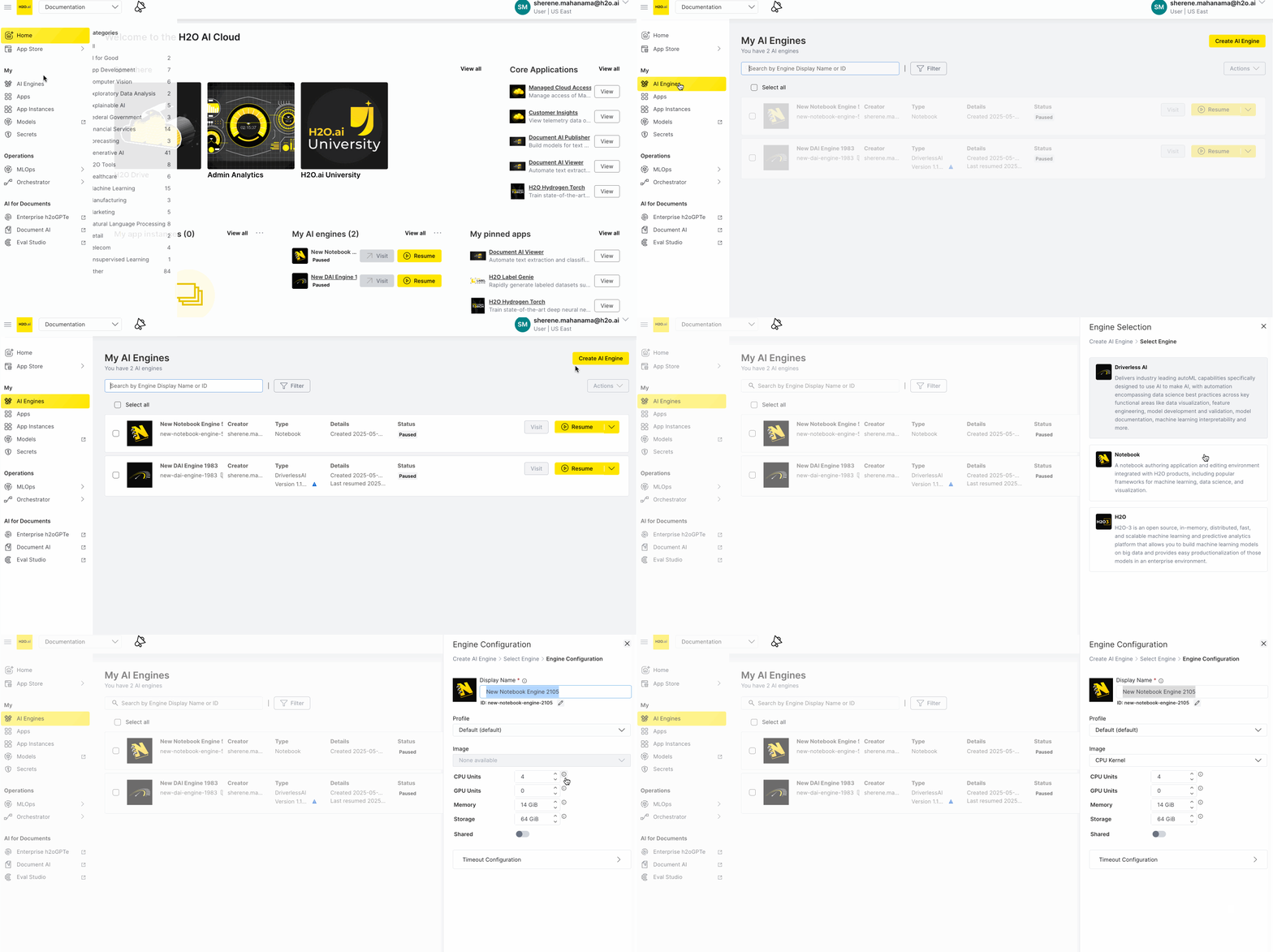
UI Changes
- Improved navigation organization:
- relocated the Feature Store link to the Operations section for better user experience and logical grouping of platform tools.
- added Feature Store link to the main navigation menu enabling users to quickly access feature management capabilities directly from the platform interface
- fixed navigation icon styling issues for consistent UI appearance.
- Resolved UI display issues affecting secret management functionality: fixed truncated secret information and copy button visibility problems in the App Store.
Backend Changes
- Enhanced internal logging capabilities: improved support troubleshooting and faster issue resolution for customers experiencing platform issues.
- Fixed permissions issue that prevented regular users from resizing DAI Engines: ensures all authorized users can now scale their computational resources as needed.
- Enhanced platform security: blocked unauthorized direct URL access to admin center routes, ensuring proper access controls are enforced.
v2.1.4 | Jun 5, 2025
UI Changes
- Improved navigation clarity: hidden navigation elements for uninstalled services to prevent confusion about unavailable products.
- Enhanced Managed Cloud Admin Center experience: updated navigation naming for clarity, added cloud version display, included direct links to documentation, improved analytics with dynamic percentages, and reorganized instance management for better usability.
- Streamlined user interface interactions: eliminated unnecessary page reloads when managing secrets and aliases, fixed workspace loading delays, corrected navigation labeling, and resolved workspace picker display issues for smoother navigation
Backend Changes
- Prevented invalid engine upgrades: removed upgrade options from H2O Driverless AI 1.10.x to 1.11.x versions that would cause instance failures, thereby ensuring that users only see viable upgrade paths.
- Fixed workspace-based app instance deletion: resolved issues where deleting app instances while viewing "all workspaces" would fail or behave unexpectedly.
v2.1.3 | May 29, 2025
UI Changes
- Global AI Engines dashboard: administrators can now view and manage all AI engines across every workspace from a single, unified dashboard, eliminating the need to navigate between individual workspaces.
Security Changes
- Streamlined Admin interface: cleaned up administrative screens by removing irrelevant controls and added proper permission validation for enhanced security.
v2.1.2 | May 19th, 2025
UI Changes
- Role-based navigation: improved visibility of navigation and navigational elements based on role for administrator, user, and public views.
Security Changes
- Streamlined public interface: cleaned up the views for a public user by removing irrelevant controls such as workspace navigation.
Backend Changes
- Improved container setup: removed the requirement to set Image on every runtime and added a validation to prevent running without an Image.
v2.1.1 | May 14, 2025
UI Changes
- Admin view enhancement: full listing of all instances now available in Admin Instances view
- Improved engine details: added Engine UID field for better identification
- Better error handling: clearer error messages when navigating after workspace deletion
- User management safety: prevent accidental removal of the only workspace owner
Security Changes
- Authorization upgrade: added support for custom schedulers from AuthZ system
- Admin security fixes
Backend Changes
- Container improvements: added resources to initialization containers
- Error handling: fixed error handlers for role bindings
- Storage configuration: fixed Notebook Engine profiles by updating storage class field name
v2.0.0 | Mar 29, 2025
Features and improvements
- Introduced
Workspacesfor better resource management and access control for H2O engines and applications including H2O Driverless AI. - Implemented the Workspace API to enhance integration capabilities.
- Added an Admin UI for managing H2O Driverless AI and H2O Engine profiles to streamline engine configuration.
- Enhanced H2O Driverless AI and H2O Engine and Profile configurations.
- Created Notebook Engine Profiles for better notebook performance management.
- Enabled autopause function for specific apps to reduce resource consumption.
- Added role-based access to H2O AI Managed Cloud
Security changes
- Added non-root base runtime
- Added workload and resource namespaces for improved resource isolation
- Added Secure Store UI for managing secrets
UI changes
- Implemented a completely redesigned user interface (UI) for improved usability and modern experience.
- Added the ability to create, delete, edit and switch between Workspaces for better organization and enhanced navigation with new Workspaces dropdown to improve organization and workspace management.
- Mobile-friendly navigation: to ensure access across all devices.
- Implemented configurable logo URL to support custom branding.
- Added Workspace Switcher for H2O AI App Store to streamline application management.
- Integrated the Secure Store functionality directly into the UI.
- Implemented configuration of navigation elements for different user roles.
- Added new fields to H2O Driverless AI Engine Profile for greater customization.
- Added H2O AI App Store categories navigation for better user experience.
- Implemented ability to see upload date of apps for better version tracking.
- Added upgrade warning display for major upgrades to improve user awareness.
v1.5.5 | Dec 19, 2024
Core
- Updated H2O CLI to v1.0.8
- Security improvements
v1.5.4 | Dec 18, 2024
Core
- Updated the H2O CLI to v1.0.7.
- Updated GO Toolchain to v1.23.4.
- Removed
uuid-osspfrom Postgres. - Added a simple RBAC authorizer for admins to control importing
H2O_CLOUD_OIDC_ADMIN_APP_IMPORTER_ROLE_NAME.
v1.5.3 | Nov 29, 2024
Core
- Added the configuration
H2O_CLOUD_ENV_NEW_MLOPS_UI_ENABLED, which can be used to toggle whether the native H2O MLOPs UI should be present or not. - Added a check for the content type of file and file extensions for upload server.
v1.5.2 | Nov 18, 2024
Core
- InstanceTimeout is now configurable for a specific app via the app.toml file.
UI
- Fixed a bug with the redirection of App Cards on the homepage.
v1.5.0 | Oct 21, 2024
UI
- Added new Notebook admin settings to the UI for Kernel Images and Templates.
- Fixed a bug where Toast notifications were hiding the H2O AI Engine Manager sidebar
v1.4.2 | Oct 09, 2024
Core
- Added
extraIngressandextraEgressto the network policy.
v1.4.0 | Sep 13, 2024
Core
- Updated golang to v1.23.1
- Added the ability to import resources from storage for H2O Managed Cloud.
- The ContainerOnly mode and Runtime image field can be left empty for container apps.
- All AI App Store users must now be assigned to a role.
- The registry and version can now be templated for custom images (
{{VERSION}} {{REGISTRY}}) by settingconfig.appRegistry.
UI
- Added workflow scheduling to H2O Orchestrator UI.
- Added a dashboard to H2O Orchestrator UI.
- Adjusted the Launch Profiles sidebar spacing and removed borders for design consistency.
- The instances list now gets refreshed instantly after an update.
- Introduced a mobile-friendly design for AI App Store.
- Added the DAIEngine
config.tomlto the Details panel of the H2O AI Engine Manager UI.
v1.3.0 | Aug 09, 2024
UI
- Added access control and executor pool management to H2O Orchestrator UI.
- AI App Store now automatically logs out users that are inactive (
userInactivityTimeoutSeconds: 300). - Added the ability to resume a deprecated engine version to H2O AI Engine Manager UI.
v1.2.0 | Jul 15, 2024
Core
- Added a new identity and access management role for allowing/disabling full access to users (
is_full_accessand!is_full_accessroles). Full access users can now set custom images by default. - Updated golang to v1.22.5.
UI
- Added workspace switching to H2O Orchestrator UI.
- Fixed a bug with the Create Alias button.
- AI App Store UI now displays badges when an AI Engine is resizing and is about to run out of storage space.
- Users can now resize their H2O Driverless AI instances after creation.
v1.1.1 | Jun 27, 2024
Core
Deprecated Python v3.7 CPU and GPU images (this version of AI App Store is the last version to have it).
Core
- The AI App Store Server is now FIPS compliant.
- Added
linux-libc-devback to the GPU Python v3.8 image
UI
- Added workflow management to the H2O Orchestrator UI.
v1.0.0 | Jun 06, 2024
Core
- Added a globally configurable
SHMSizelimit (default to 2Gi). - Added a new component of AI App Store called H2O Orchestrator that handles orchestration and scheduling capabilities for workflows for sequential execution of scripts and notebooks.
- Added a Refresh Service Account Token for telemetry reporting
UI
- Added the ability to copy the
app.tomlcode directly from the Admin Secrets UI.
v0.36.0 | May 03, 2024
AI App Store v0.36.0 is a patch release with some minor improvements and fixes.
Core
- Updated the end-user license agreement (EULA) to v04-18-2024
- The
platformUsageEnabledvariable added to helm chart. This variable allows platform admins to enable or disable the new Peak AI Unit Consumption UI page from the server config. - Users with
Full Accessor Visitors with the correctVisitorroles have access to runPUBLIC ON_DEMANDapps. For more information about user roles and access for H2O AI Cloud, see User roles in the H2O AI Cloud documentation.
UI
Added the ability to copy app.toml code directly from the Admin Secrets UI. The admin can now copy the secrets from the list view of the Admin App Secrets page using the copy button found in the new App.toml Code column. The copied secret is already formatted in a way that allows admin to paste it directly onto the app.toml file.
v0.35.0 | April 15, 2024
AI App Store v0.35.0 is a patch release with some minor improvements and fixes.
Core
- Removed
SETUPTOOLS_USE_DISTUTILS=stdlibfor app launches in order to fix Python 3.12. - Resolved issues when installing some Python 3.12 packages that depend on setuptools which was removed in Python 3.12, providing greater compatibility with existing Python packages.
UI
- Administrators of AI App Store are now allowed to set default values and constraints for H2O Driverless AI and H2O Engines
- Improved
key:valuepair editing in H2O AI Engine Manager and App Secrets Manager
CLI
- Improved error messaging when app downloading is disabled.
v0.34.0 | March 15, 2024
AI App Store v0.34.0 is a patch release on the v0.33.0 release that makes AI Engines Settings only visible for super administrators.
- Starting and stopping AI Engines such as H2O Driverless AI, H2O Hydrogen Torch, H2O-3 via the AI Engine Manager.
- Adjusting all configurable settings in H2O AI Cloud
For more information about the settings visible to super administrators, see User access.
v0.33.0 | March 11, 2024
Appstore v0.33.0 includes support for launch profiles for apps. This allows the server administrator to configure different profiles that can be set at launch time or set a default profile per app version. Profiles can configure NodeSelectors, Tolerations, Affinity, GPU Count, and Memory, CPU Limits, and Reservations.
Core
- Added configurable launch profiles. A profile can now be customized with:
Memory,CPU Limits, andReservationNodeSelectors,Affinity, andTolerationsGPU CountandGPU Resource
- Added the capability to set a default launch profile for a particular app. This can be done in one of two ways:
- Run
h2o app set-default-profileto set the default launch profile. - Run
h2o app import --profileto set the default launch profile while importing the app.
- Run
- Added the capability to list available launch profiles by running the
h2o env launch-profiles listcommand. - Updated goland to v.1.22
- Fixed a bug in the AI App Store CLI with using the
h2o app import --set-imagecommand to set the app image.
UI
- Added a new Advanced Run app menu for selecting a profile when launching an app.
MISC
- Removed NPM from the Python 3.8 and Python 3.9 images
- Updated NPM in the Jupyter Python 3.10 image
v0.31.1 & v0.31.2 | January 03, 2024
Core
- Added
openjdk-17-jdkback into launcher image.
UI
- Fixed a UI style issue for Beamer.
v0.31.0 | December 09, 2023
Core
- Added support for Identity and Access Management (IAM) auth via AWS
- Upgraded Python 3.8, 3.9, and 3.10 CPU images to
debian_12 bookwormand removed Debian version from naming - Added new core app categories
UI
Improvements
- Added filtering of app instances
- You can now transfer ownership of an AI Engine
- Added support for a Beamer button. If Beamer is already configured on the environment, a newspaper icon will appear next to your username on H2O AI Cloud. Clicking it will open up the Beamer panel.
- Renamed "Pause" to "Terminate" for H2O Engines
Fixes
- Fixed the Platform Usage page to use the correct units (AI units instead of mili-AI-units) and the chart to appear correctly when all data values are zero.
- Fixed a bug in the AI Engines selector which caused inconsistent states when switching between engine options
The debian version prefix has been dropped from the CPU images. You can now use the aliases feature to specify the old runtime name.
    - name: deb_py39
      image: 524466471676.dkr.ecr.us-east-1.amazonaws.com/q8s/launcher:latest-39
      aliases: ["deb11_py39_wlatest"]
v0.30.0 | November 18, 2023
Core
Improvements
- Added an additional level of visibility for apps called
PUBLIC. Apps withPUBLICvisibility are visible in the app catalog and do not require authentication. - Added an endpoint to retrieve the location or path of an app's managed instance. This lets users click on the app card on the AI App Store and directly run the instance. If no applicable instance is found, the user is redirected to the app details page.
- Implemented RuntimeVersion Aliases
- Set empty
oidcEndSessionUrls to default to the server address - Enabled downloading the CLI from the AI App Store server without accessing the internet for each specific OS
UI
Improvements
- Ability to make apps
PUBLICmode. When an application has public mode enabled and the user does not have full access, the UI will show a streamlined version for public consumption. - Added the ability to customize the App Store page title
- Brand theming with customized logo and brand color
- Redirect to
/logoutafter OIDC logout
Fixes
- Fixed a bug for bulk actions in AI Engine Manager
- Fixed a bug when deleting apps using admin app UI on the admin apps page
- Fixed a bug that caused the API / CLI Page menu option to appear to users without full access when in
PUBLICmode
v0.29.1 | October 30, 2023
AI Engine Manager UI
Improvements
- Set the first AI Engine profile as the default
- Improved the validation message for Engine IDs
v0.28.6. | October 17, 2023
Core
Improvements
- Updated EULA
- Removed Pillow package from Jupyter Conda Environment to improve security
UI
Improvements
- Added a message banner to pop up when a user has already accepted an EULA, but a new EULA is present
MISC: Managed Cloud
Improvements
- Push helm chart to Managed Cloud OCI
v0.28.4 | October 03, 2023
Core
Fixes
- Fixed an issue in launcher images
- Deprecated the Python 3.7 GPU and CPU Image
- Fixed a bug when using Ephemeral Volumes in custom runtimes
v0.28.3 | September 15, 2023
Core
Improvements
- Using distroless as the base image
- The Precondition Checker is now enabled by default
- Added
H2O_WAVE_PING_INTERVALto the allowed wave env var list - The Appstore WebSocket Ping Interval is now configurable
UI
Improvements
- Using Telemetry Service API URL from Discovery Service
Fixes
- UI fix for scrollbars on CLI/API page
- Fixed a bug to fetch from localhost if logging service is not present
AI Engine Manager UI
Improvements
- Show fallback log page if logging service is unavailable and old logs are available
- Do not allow resume for deprecated engines
v0.28.0 | August 15, 2023
Core
- Added a
Runtime.AppModecontainer for launching docker images as apps - The Precondition Checker API validates whether an app is runnable and scans apps periodically for validation.
- Added the
requireRuntimeVersionconfig option to force apps to have a configured runtime version when importing - Disabled the AI Unit scanning by default in preparation for the transition to telemetry service
- Added precondition checks for Apps to detect deprecated runtime versions
- Added the
PlatformUsageEnabledconfig option for enabling the **Platform Usage **Page.
UI
New
- Added the Platform Usage Page
- Added Admin secret management
Improvements
- The home page is now enabled by default
- Packaged the required fonts with the UI for air-gapped environments
- Show MLOPs on CLI & API Access Page
Fixes
- Fixed a bug when terminating instances on the admin instance page
- Fixed a bug with displaying the proper Run button when all instances are suspended and not owned by the current user
AI Engine Manager UI
New
- Updated the user flow for creating AI Engines.
- Added support for the node count field for H2O3 Engines
- Added support for searching AI Engines
Improvements
- Hid the Create button for the Admin Engines Page
- Updated engine size options
CLI
New
- Added the
h2o admin app import clicommand to enable importing apps - Added the
h2o app import --set-imageflag for setting a container image for both regular and admin users - Added
h2o app list --preconditionfor filtering apps based on their precondition status checks
MISC
- Removed the
RefreshFederatedAppPreconditionsandGetFederatedAppPreconditionsAPIs - Added Python 3.10 GPU runtime
- Added
namespaceOverrideconfig option for helm
v0.27.0 | July 05, 2023
Core
Improvements
- Added a config option to disable app download endpoints
- Added an admin command for redeploying an instance with the new chart and server config:
h2o admin instance redeploy - Made
tolerationsandaffinityconfigurable per runtime version basis - Added Instance Lifecycle to list:
h2o instance list -wide
UI
Improvements
- Added admin UI for managing aliases
- Improvements to the CLI & API Page
- Wait for import to finish before reloading resources
MISC
Fixes
- Made a breaking change to the
RefreshFederatedAppPreconditionsandGetFederatedAppPreconditionsfederated APIs
v0.25.3 | June 19, 2023
Core
Fixes
- Fixed deadlock in
AssignAppAttributesandRemoveAppAttributes.
v0.25.2 | June 05, 2023
Core
Improvements
- Added the ability to emit telemetry login events on token session exchange and limit cookie session length to access token length.
- Allowed configuration of the
initContainerSecurityContext.
v0.26.0 | June 01, 2023
Core
New features
- Added the ability to emit telemetry login events on token session exchange.
- Added the app name to
h2o app getcommand. - Implemented a check for custom image for federated container apps.
Improvements
- Limited the cookie session length to access token length.
- Allowed Optional Secrets for Federation.
- Allowed configuration of the
initContainerSecurityContext. - Allowed regular users to use alias.
UI
Improvements
- Removed Google Analytics.
- Added
requirements.txtCodeBlock to the CLI & API Access page. - Replaced "My imported apps" with "AI Engines list" widget in the home page.
- Disabled the Visit instance button if operation is not permitted.
- App actions no longer block the user interface.
- Added the downloads app button to the UI.
- Allowed administrators to start managed instances from the UI.
- Removed the H2O AI Cloud version next to the About dialog title.
- Allowed Authorization tags to show up in the App config table.
Fixes
- Fixed the AI Engine Manager API access code template.
MISC
Fixes
- Removed duplicate resource request in the Helm chart.
v0.25.1 | May 08, 2023
Fixes
- Fixed a bug only found in in v0.25.0 for runtime version disable packages key.
v0.25.0 | May 02, 2023
Core
Improvements
- Disabled Auto Suspension for specific instances
h2o admin instance disable-autosuspend <instanceId>. - Added UnixODBC to ub2004_cuda114_cudnn8_py38_wlatest.
- Disabled Init Container for Container Based Images.
h2o admin resume <instance>now sets an auto suspend time.
UI
Improvements
- Added non-blocking actions and error handling for My Instances page.
- Allowed users to copy the app name instead of the app title on Apps List Pages.
- Users now can easily copy the version information.
v0.24.1 | Apr 18, 2023
Core
New features
- Users can now configure the timeout duration for bundle upload.
- Users can now configure the database connection limits.
- Screenshots can now be sorted in lexicographic order.
Improvements
- Added support for the Optional Env and File secrets for Apps.
- A config option has been added for requiring CPU and memory requests/limits in
app.toml.
Fixes
- Resolved the following security vulnerabilities.
UI
Improvements
- Used the Cloud Discovery to fetch OAuth configuration.
- Sorted versions dropdown in descending order on App details page.
- Redesigned the CLI & API Access Page by including AI Engine Manager login code.
Documentation
Improvements
- Restructured sections in the documentation and added more introductory content.
- Fixed documentation URL redirects.
- Added a button to download the latest CLI to the CLI document.
MISC
Improvements
- Added Cloud Discovery service annotations for App Store.
- Added support for ingress level prefix routing for the discovery service in the Helm chart.
v0.23.0 | Feb 28, 2023
Core
New features
- Added Python CPU 3.9 and 3.10 runtimes.
Improvements
- Reduced overly verbose log messages.
- Reduced App Store Role permissions.
Fixes
- Ensured git is present in all base images.
- Resolved the following security vulnerabilities.
UI
Fixes
- Fixed the back button behavior on My Apps and My Instances pages.
- Fixed the appearance of item tags in Safari.
- Fixed the App Detail header UI when overflowing content.
- Fixed app tables displaying "0" when there are no tags.
- Fixed typos in the text "does not exists".
- Fixed a bug that made restarting a failed H2O Driverless AI Engine instance from the UI.
Improvements
- Allowed API to send error messages directly to the UI in AI Engine Manager.
Documentation
Improvements
- Restructured
app.tomlattribute descriptions into tables to be more readable/consumable.
MISC
Improvements
- Incremented packages libraries versions for the AI Notebook app.
v0.22.1-telemetry | Jan 13, 2023
New features
- Added new fields for H2O MLOps telemetry.
- Added support of
affinity,nodeSelector,tolerationsandsecurityContext. - Provided the ability to batch messages before they are sent to message queue in asynchronous server mode.
v0.22.0 | Jan 12, 2023
Core
New features
- Add support for S3 compliant object stores.
- App developers can now specify the
H2O_WAVE_SESSION_INACTIVITY_TIMEOUTparameter in theirapp.tomlfile. - Supports proxying static assets for Azure Blob Storage.
- Support for private certificates in the App Store server and apps.
Improvements
- Added support for Python apps and Nitro.
- Icons and screenshots are now confined to static storage only.
- The
appOwnerNamefield has been added to the Kubernetes annotations, while theappOwnerfield has been added to the labels. - Added configurable app download timeout via
H2O_CLOUD_APP_DOWNLOAD_TIMEOUT. - Reduced memory usage when uploading an app via the CLI.
- Developers can now set
H2O_WAVE_SESSION_INACTIVITY_TIMEOUTandH2O_WAVE_DATA_DIR. H2O_CLOUD_UPGRADE_TOOLShas been introduced to disable pip from upgrading.- Emit a deprecation warning log message when
analyticsIdis set. - Avoided downloading Wave server if it's available within the Python package.
Fixes
- Resolved a vulnerability in the
OpenPolicyAgentdependency.
Telemetry
New features
- Added support for Model Storage events and gauges.
- Added support for Model Scoring events.
- Added support for eScorer events.
- Improve scalability by adding caching to service account token reviews.
- Introduced a standalone telemetry server.
- The Tenant field is now filled on the telemetry server side.
- The telemetry server now uses the Tenant field from config.
- Provisioned telemetry service role.
UI
Improvements
- My Apps v1.2 has undergone a redesign.
- Users can now delete multiple apps simultaneously.
- Search apps.
- Introduced new design for "My Apps" table and "Admin Apps" table.
- Made the header consistent across all the pages.
- Fixed active styles in navigation header links.
- Made "No data" UI consistent across all the pages.
EditAppPanel: Addedapp.tomlsuggestion and additional metadata.- Added search box and fixed back button behavior in My Instances and Admin Instances pages.
- AI Engine Manager:
- Added Admin AI Engines page.
- Added view and download logs option for AI Engines.
- API-supplied constraints as a configuration option for H2O Driverless AI and H2O engines.
- Allowed non-editable default values in Engine configurations.
Documentation
Improvements
- Added Notifications page to the Admin guide section, explaining on how to manage persistent notifications in the HAIC UI.
- Submit and view feedback for this page
- Send feedback about AI App Store to cloud-feedback@h2o.ai